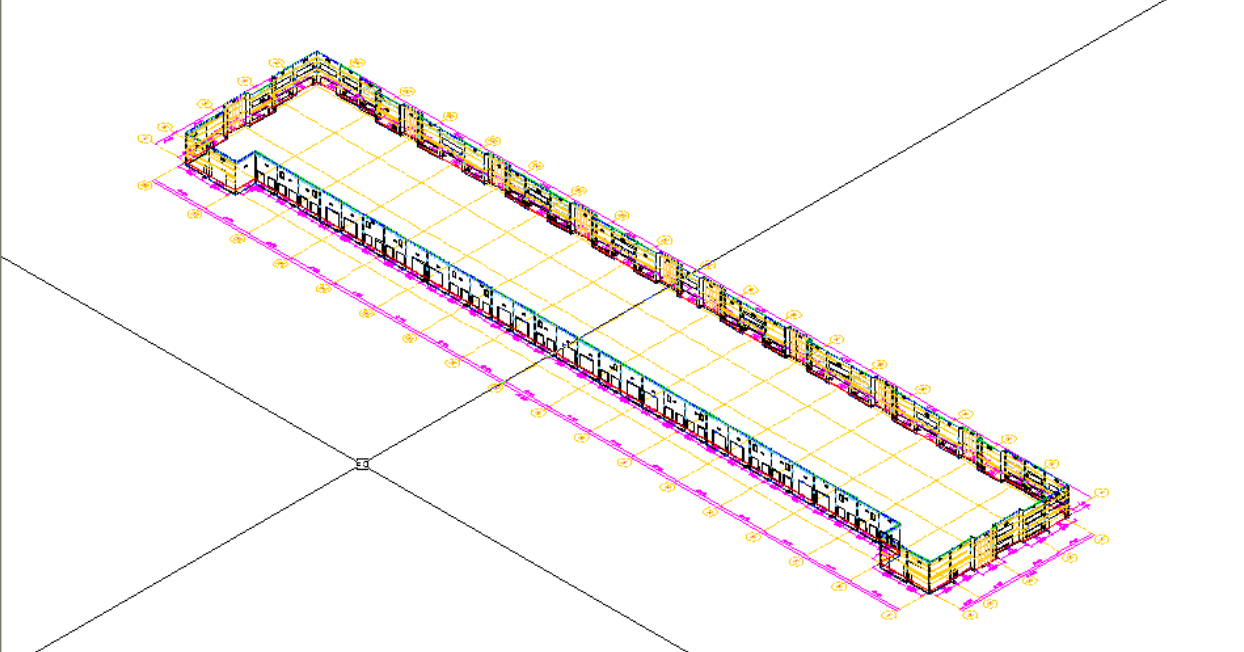
Capabilities & Screenshots
What ConstructiVision 12 for AutoCAD does today — and what ConstructiVision Web does in your browser.
Current Capabilities
All capabilities below are available today in ConstructiVision 12 for full AutoCAD 2025, 2026 and 2027 on Windows. Scroll each row horizontally to see all cards.
3D Solid Modeling
Every panel rendered as a 3D solid. 10 viewpoint presets and three shade modes: wireframe, hidden-line, shaded solid.
Inputs-Only Design
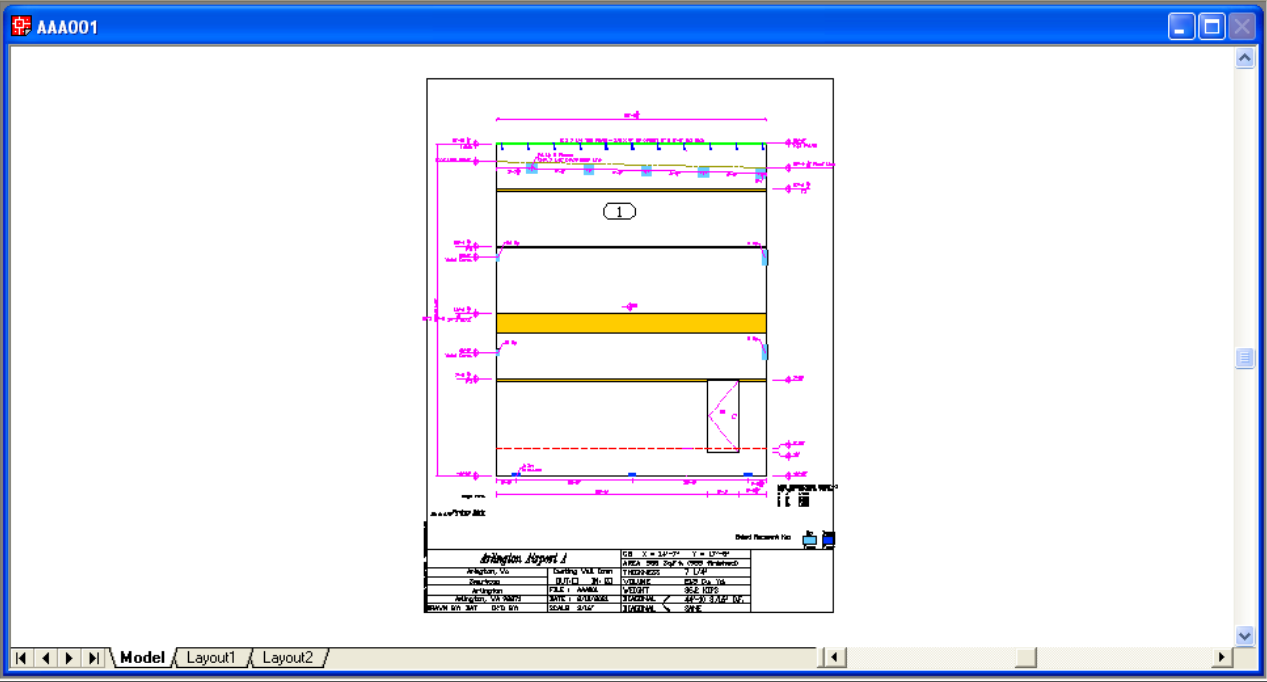
Enter only choices and numbers. ConstructiVision generates the fully dimensioned 3D panel drawing automatically — no mouse drawing, no manual dimensioning.
Opposite Hand & Curved
Mirror-image (opposite hand) panel from any existing one in one step. Arch radius supports curved top profiles and full-radius geometry.
Panel Dimensions
Thickness, width, bottom elevation, top-left / top-right / peak heights, arch radius, Z-offset, expansion gap, and casting face orientation — fully parametric.
Top & Footing Steps
A top step drops the top of the panel to a lower height over part of its width; a footing step steps the bottom of the panel where the footing steps up or down. Each has its own toolbar button.
Slopes & Roof Lines
Sloped and stepped roof lines on the panel top, plus a stand-alone slope calculator that converts a slope between rise/run, angle, percent and ratio.
Rough Openings
Multiple RO slots per panel. Adjacent placement with + syntax, centering with c. Each opening has independent elevation, height, width, and distance.
Standard Openings
Windows and generic rectangular openings. Elevation, height, width, and distance for each, with as many openings per panel as it needs.
Man Doors
Personnel door openings with configurable swing side and mode toggle. Distance, elevation, width, and height individually clamped to panel bounds.
Dock Levelers
Dock leveler openings with integral hydraulic pit blockout at the bottom. X-offset (recess depth) and Y-offset separately configurable.
Recesses & Blockouts
A blockout is a void through the panel; a recess is the same shape at partial depth. Up to 30 per panel, each on its own row of one dialog.
Round, Arched & Triangular
Each recess or blockout row takes a shape — Rectangle, Circle, Arch, or Triangle — and only the fields that shape needs.
Beam Pockets & Insulation
A Recess with Z Offset 0 makes a beam pocket; a recess set back from the face makes the insulation block of a sandwich panel.
Pilasters
Vertical column projections from the UP face. Multiple pilasters per panel with independent position and dimension settings.
Lintels (Corbels)
Thickenings above the panel base — typically over or under openings — plus a lintel or corbel band that stands proud of the face (a brick ledge is a Lintel).
Ledger Bars
Ledgers across the inside face with cast-in anchor bolts drawn automatically. Size, length, elevation, bolt spacing or count, and trim behavior — with a built-in Foot/Inch Calculator.
Top Plates
A top plate snaps to the top of the panel and normally forms its top edge. Ledgers and top plates share one dialog of six rows, each row one bar.
Weld Connections
Weld-plate embeds placed singly, snapped to an edge, or in evenly spaced arrays, using connection types defined once per project with Edit Embeds.
Sandwich Panels
An insulated sandwich panel: the exterior wythe, the insulation, and the structural wythe, recorded on the panel from its own toolbar button.
Slab Dowels
J-shaped rebar connections from panel base to slab. Per-dowel elevation, angle, offset, and inset — materializes in drawings and bill of materials.
Spandrel Seats
Up to 2 spandrel seat configurations. L/R side, elevation, width, and height with linked edit/slider pairs for rapid adjustment.
Horizontal Reveals
Reveals (rustication) cast into the panel face — up to 48 per panel, singly or as a full grid, on the up face, the down face, or both.
Vertical Reveals
Vertical reveals cast into the panel face, from their own toolbar button. Drawn, dimensioned, and counted when the panel redraws.
Exterior Face
Form liners and face materials — thin brick, stone, exposed aggregate, sandblast — area by area; the sheet hatches each area with its material.
Chamfer
Edge chamfer in ½″, ¾″, and 1″ sizes applied to either or both surfaces of the panel and selected features. Direction: up, down, or both.
Center of Gravity on the Sheet
Weight, center of gravity, area, and volume are taken from the panel’s 3D solid — openings and pilasters included — and shown in the title block for the lift engineer to verify.
Pick Points
Lifting inserts laid out as a grid of columns and rows, from an edge or evenly spaced, with auto-symmetry to mirror the left half to the right. Insert count and capacity are the lift engineer’s call.
Brace Points
Brace insert locations set row by row — top or bottom, left or right — drawn and dimensioned in the panel drawing and included in the panel book.
Layer View & Print Control
Preset View and Print sets — All Layers, Edge Form, Ledgers/Top Plate, Weld Connections, Reveal, Pick/Brace Points — plus Select Layers for your own mix.
Construction Layout
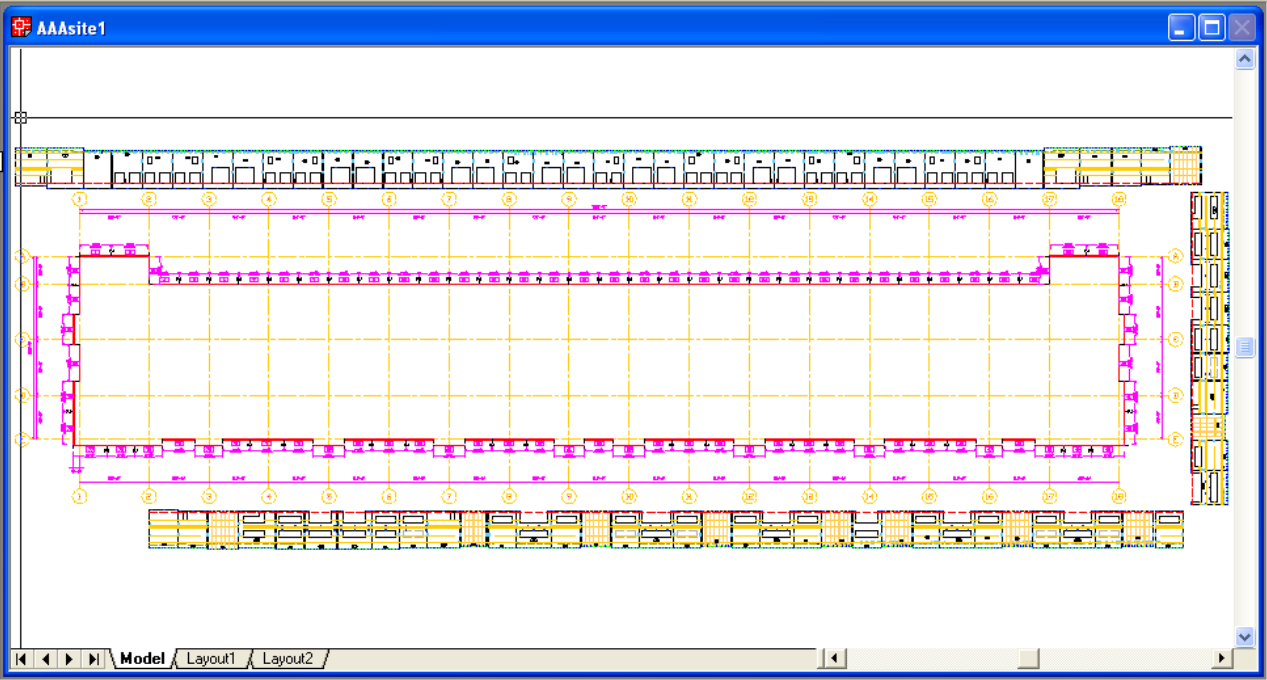
Cast the panels inside the building, snaked through the footprint (IN), or outside it, one straight row per side (OUT). Cast Layout Draw draws the casting layout and stores it in the drawing.
Batch Panel Book
Run one operation across many panels at once: print the panel book, print revision histories, or update drawings.
Materials List
Totals concrete volume, hardware, chamfer and reveal lengths, slab dowels, and all embedments from the same data that drives the drawings.
Revision History
Every design change logged per panel. Printable as a standalone sheet and included in the panel book; step back to a previous saved revision and forward again from the menu.
Drawing-Native Storage
Every panel’s design data is stored inside its own .dwg file. No external database. Standard AutoCAD format.
Firm-Controlled Drawing Data
No vendor cloud holds your drawings: they stay standard .dwg files on your own network. Each drawing is licensed once online with a token, then opens, plots, and prints offline.
Import / Export
Export panel data files for lift engineering analysis. Import data files to replicate panels across projects. No proprietary database required.
Site Grid, Walls & Slabs
Set up the site plan, its grid lines, wall lines, and slab from the Site & Tools toolbar — or pick the building corners to draw the wall lines.
Draw Site Plan
Draws the site plan from the grid, wall line, and slab record stored in the site drawing.
Attach & Detach Panels
Attach every panel drawing to the site, laid out around the building at its real size with its panel number; Detach removes them again.
Tilt-Up Panels
Stand the attached panels up on their wall lines and classify their edges.
Autosite
Build the site from its panels alone — grid, wall lines, attach, and tilt-up — in a new drawing saved beside the panels.
A crane never stands across the slab edge. Every station sits wholly on the poured slab or wholly off it, judged by the machine’s tracks or outriggers. These tools are planning aids: every crane station and pick plan is reviewed by the lift engineer.
Crane Configuration
Choose the crane machine. Picks are compared with that machine’s catalog load chart, which is marked verified or only representative.
Draw Crane & Crane Pick
Draw a crane where you pick it, or select a panel and see the crane reach it. These place the crane exactly where you pick and do not check the slab edge.
Crane Capacity Check
Report the panels one crane position cannot pick within the catalog chart, from the stored cast record. Draws nothing and does not check the slab edge.
Plan Picks
Plan every pick in mark order after Construction Layout, scoring each crane station against the drawn slab edge for your lift engineer to review. Picks it cannot plan show in red, and it refuses a site with no drawn slab.
Interference Check
Check the stood-up panels for clashes and list each one with its cause; the clashes are left on their own layer to review.
QA Findings
Reopen the last interference check’s findings and pick one to center the drawing on it.
Build-Phase Views
Show the panel one build stage at a time — Form, Face, Down Face, Up Face, Pick and Brace — each with its own dimensions. Nothing is saved; All brings the full panel back.
Check Your Work
Each core tutorial lesson ends with a checker that grades the open drawing against the lesson and prints a report card.
Space Census
Report whether a drawing’s contents sit in model space or on a layout.
Up-Convert Panel
Convert an older panel to the current storage format — reversible.
Project Details
Create a project and edit its details — units, concrete spec, contractor and job information — which feed every title block.
Projects & Tracker
Browse every project on this computer and open any panel; the Tracker shows how far a project is and the next step.
Change Project Folder
Rename a project or point it at another folder; the command line names the drawings to move and where.
Sign In & Account
Link this workstation to your SimpleStruct account with one browser sign-in; Account shows your email, organization, plan, and tokens.
Color Theme
See the colors each kind of drawing element uses, switch between themes, and save your own.
Sky & Background
Choose the sky behind a 3D view and make it the default for new drawings; the Professional sky library adds photographed skies when installed.
Check for Updates
Check for a newer ConstructiVision build from inside AutoCAD; it says so if you are already up to date.
ConstructiVision Web — In Your Browser Today
ConstructiVision Web — Live Now: Runs in your browser with no AutoCAD required. Viewing projects is free; the full editor and the AI features come with a monthly or annual membership. Try it now →
ConstructiVision 12 for AutoCAD — Shipping: Released October 1, 2026, with the capabilities listed above. Download → Cards below marked Live work today, Preview cards are working but free or pilot-gated, and Planned cards are on the roadmap, not yet available.
Browser-Native App Live
Panel design, documentation, and output in a modern browser. No installation and no AutoCAD license. Viewing is free; editing comes with a membership.
Browser & Cloud Projects Live
Work in the browser, and when signed in, save to your team’s shared cloud project library. Drag and drop a .cvp to import; export one any time for backup or transfer.
Native CV File Format Live
.cvp project, .cvt template, .cvpanel single panel, .cvsite site layout. Portable, version-tagged, JSON envelopes. Moving them between Web and CAD is always free.
Project Templates Live
Export a project as a .cvt template: panel geometry and design settings are kept, job details are stripped, and importing one starts a new project from your standards.
Multi-Panel Projects Live
Projects hold many panels. Batch Utilities names the panels in scope before it acts, and can duplicate panels or stamp engineering and revision details across them.
Real-Time 3D Viewer Live
Shaded, hidden-line, and wireframe modes, with openings and reveals cut from the panel. 10 view presets plus free orbit, zoom, and pan.
Interactive 2D Panel Drawing Live
Fully dimensioned 2D panel drawing. Drag features on the canvas, double-click one to edit it, or double-click the panel to place a new one.
2D Site Plan View Live
Top-down layout showing all placed panels. Assign X/Y position and rotation angle per panel. Equivalent to the legacy Construction Layout drawing.
Feature Drag & Resize Live
Drag features directly in the 2D view and resize them from corner handles. Snaps to 6″ (hold Shift for ½″). No modal dialog required for positional tweaks.
Properties Sidebar Live
Context-sensitive properties panel beside the viewer. Click any entity to select it; the sidebar exposes all editable fields inline — no modal dialog required.
Panel Book PDF Live
Issue the panel book as a PDF for the project or a chosen set of panels; Finalize stamps a revision as it issues. One token mints each panel drawing the first time, and panels your organization already minted are free.
DXF R2000 Export Live
Export any panel as DXF R2000 directly from the browser; AutoCAD opens it directly. It writes onto the layer names the AutoCAD plugin already uses, so it lands on layers you already have.
Site DXF Export Live
Export the site plan — where each panel sits, the grid, and the notes — as a DXF file that opens in AutoCAD.
Materials CSV Export Live
The materials list — concrete, areas, reinforcing, chamfer, and counts of pick points, brace points, and weld connections — as a spreadsheet for estimating and purchasing.
DXF Import Live
Import an AutoCAD R2000 DXF into the open project. It reads ConstructiVision’s layer names, including the AutoCAD plugin’s own, and reports what it found before you accept it.
Review Flags Live
As you design, panels are flagged where geometry, openings, pick and brace layout, concrete strength, or reinforcement cover and spacing fall outside limits drawn from ACI 551.2R and TCA guidance. A flag asks for engineering review; it is not a design check.
CG Mark & Pick Balance Live
The 2D drawing marks the panel’s center of gravity as openings and pilasters are added, and flags pick points that are not balanced about it — for the lift engineer to verify.
Materials Optimization Planned
AI-driven analysis surfaces opportunities to reduce concrete volume, consolidate embedment types, and optimize hardware counts — alongside the standard bill of materials for estimator review.
Slope Calculator Live
Converts one slope between rise/run, angle, percent, and ratio, so you can type the right number into Slope Details. It converts; it does not choose or check a slope.
EZ Panel Book Planned
Guided one-click workflow: collect inputs, validate completeness, run full generation, package final PDF — in minutes, with consistent formatting every time.
Streamlined Navigation Live
In AutoCAD, Construction Layout IN and OUT, the site tools, and every panel feature are one-click buttons on the ConstructiVision toolbars.
Revision Notes Live
A ledger of revisions — stamped when a panel book is issued with Finalize, or by hand — each with its note, and printable as a revision sheet.
AI Takeoff Preview
Upload a blueprint set and get a structured tilt-up panel project back, then review and correct what it found before you rely on it. Free for signed-in users while in preview.
Pick Simulation Preview
Rehearse the crane lift for a cast-yard set in the browser and read each pick against the crane’s reach. A planning aid for the lift engineer; a crane never stands across the slab edge.
AI-Assisted Design Planned
Intelligent suggestions for sizing, opening placement, and reinforcement layout — drawn from your project data and templates. Human review required before anything enters a deliverable.
Auto-Fill Project Forms Planned
Submittal, compliance, and job forms pre-filled from drawing metadata and project templates. Uncertain fields flagged for review. Target: 50–80% auto-populated.
Construction Plans
From nothing but the panel drawings: the site, a cast layout checked for clashes, and a plan for the crane's first pick and every pick after it, played back in AutoCAD. Watch two full construction plans →
A crane never stands across the slab edge — wholly on the poured slab or wholly off it. A construction plan is a planning aid; the lift engineer reviews every crane station and pick before anyone mobilizes a crane.
Product Screenshots
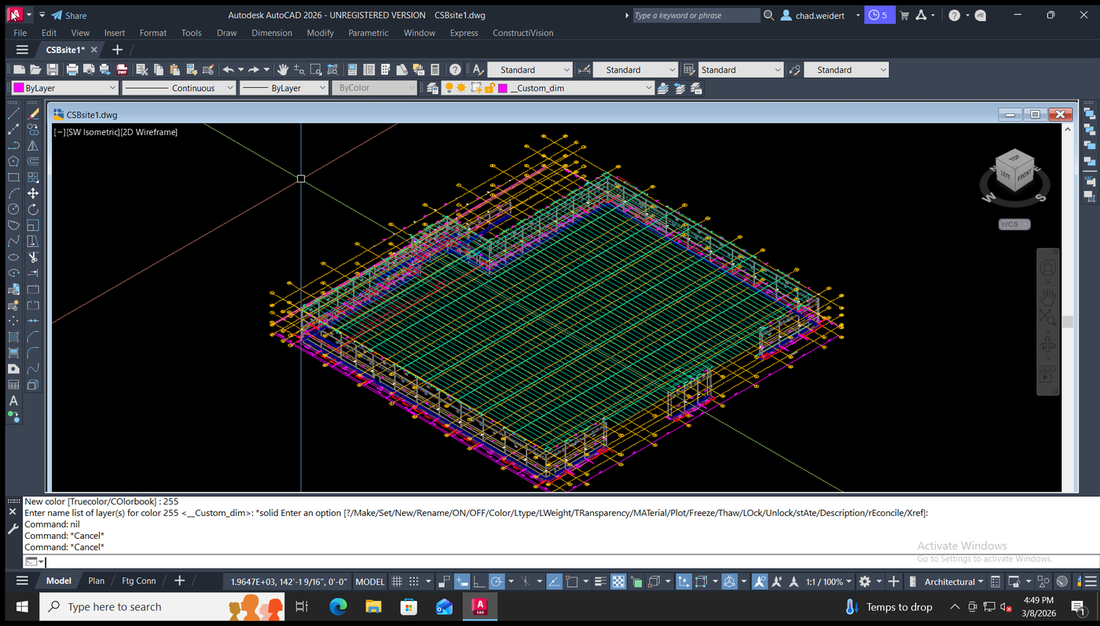
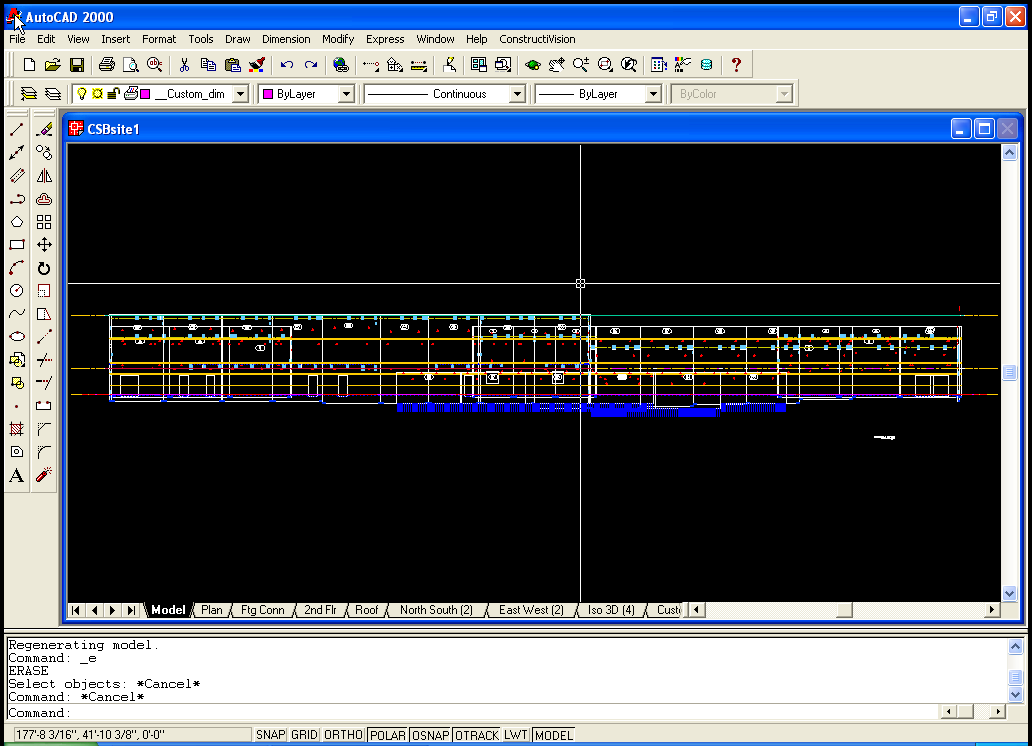
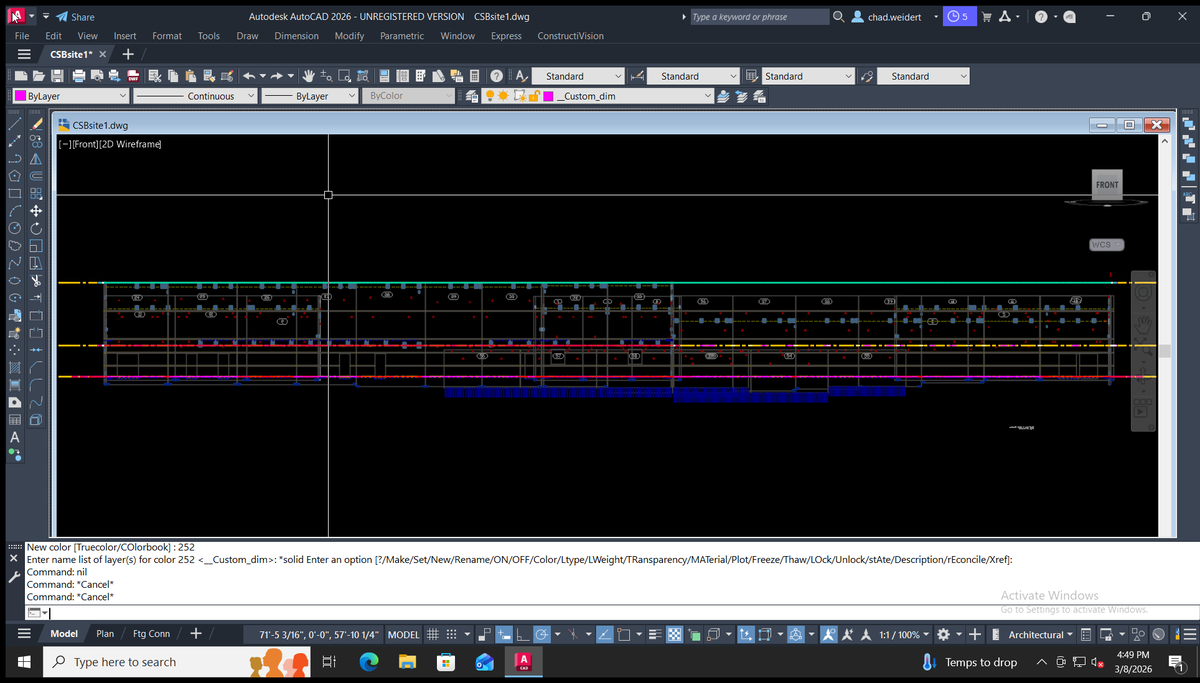
Same project, same drawing — AutoCAD 2000 on Windows XP vs. AutoCAD 2026 on Windows 10 x64. Click any image to view full size.