ConstructiVision
Tilt-up concrete panel design, documentation, and production — entirely inside AutoCAD. Input choices and numbers; get fully dimensioned 3D panels, materials lists, and a complete panel book automatically.
Download for AutoCAD 2025–2027 Watch the Tutorials
ConstructiVision 12 is available now for full AutoCAD 2025, 2026 or 2027 on Windows (2027 recommended). It does not run in AutoCAD LT, AutoCAD for Mac or AutoCAD on the web.
Free 7-day trial with 10 tokens for your organization — sign in to download.
Coming soon to the Autodesk App Store — join the waitlist →
What Is ConstructiVision?
ConstructiVision is a patent-pending AutoCAD add-in specifically engineered for tilt-up concrete construction. Rather than drawing lines with a mouse, users input only choices and numbers — ConstructiVision generates fully dimensioned 3D panel drawings, materials lists, and complete panel book documentation automatically.
In tilt-up construction, large concrete panels are poured flat on the job-site slab and then crane-lifted into position to form the building walls. Designing these panels — with their openings, embedments, connection hardware, pick points, and braces — is complex, repetitive, and error-prone when done manually in a general-purpose CAD tool. ConstructiVision was built to solve exactly that problem.
The software lives inside AutoCAD, using the industry-standard drawing file as its native data format. There is no separate database, no vendor cloud holding your drawings, and no vendor lock-in. Your project files are standard .dwg files that any AutoCAD user can open and view — with or without ConstructiVision installed. Each drawing is licensed once, online, with a token; after that it opens, plots, and prints offline.
listed below
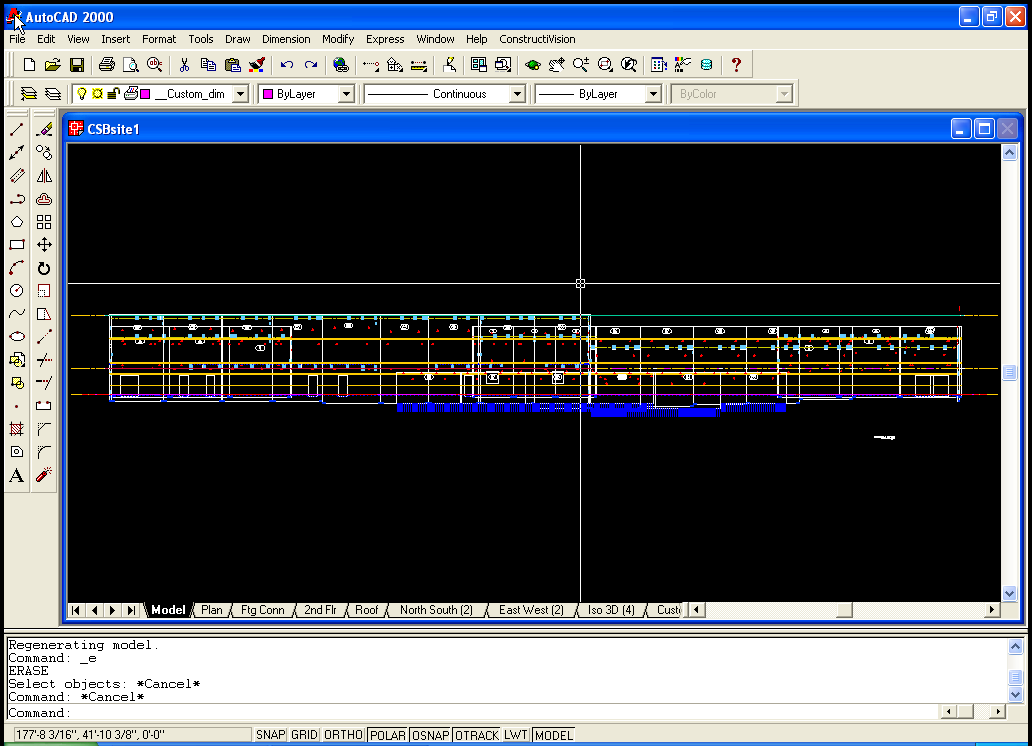
(first released for AutoCAD 2000)
(lineage since 2000)
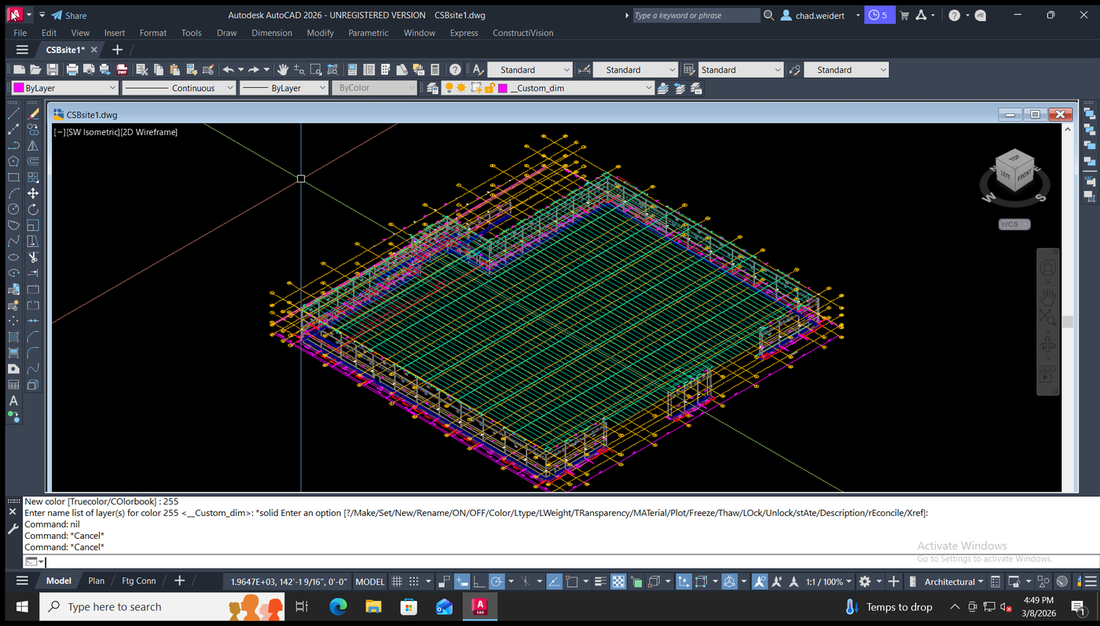
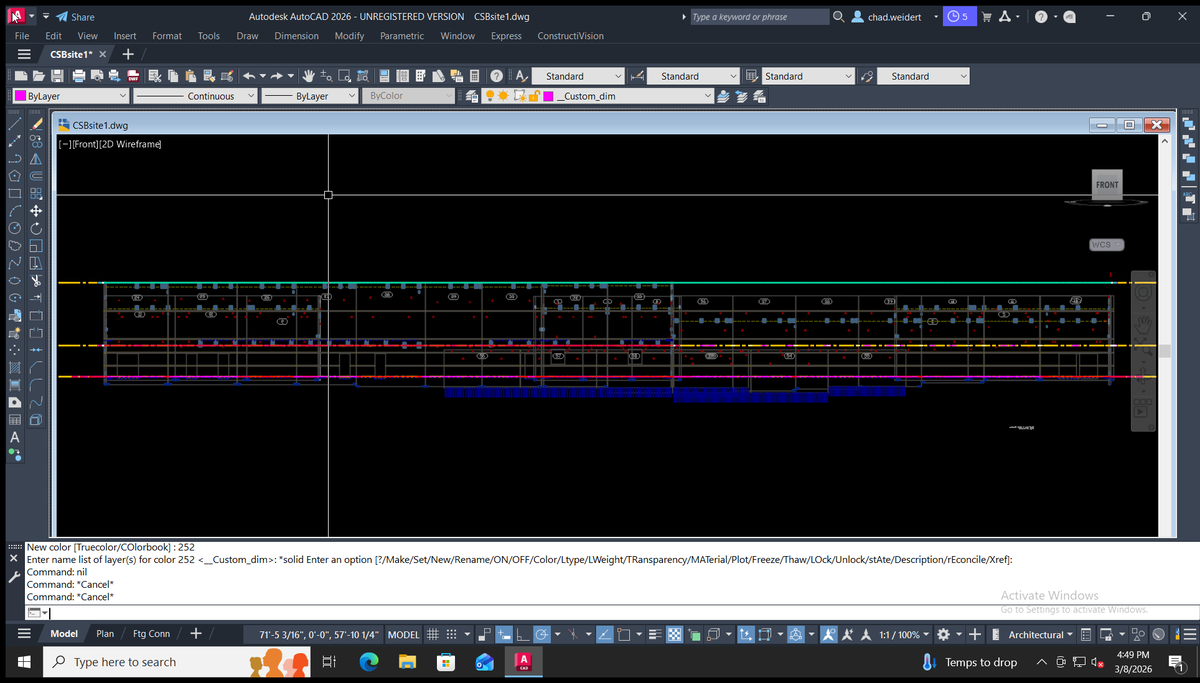
Featured: Greater Seattle Concrete
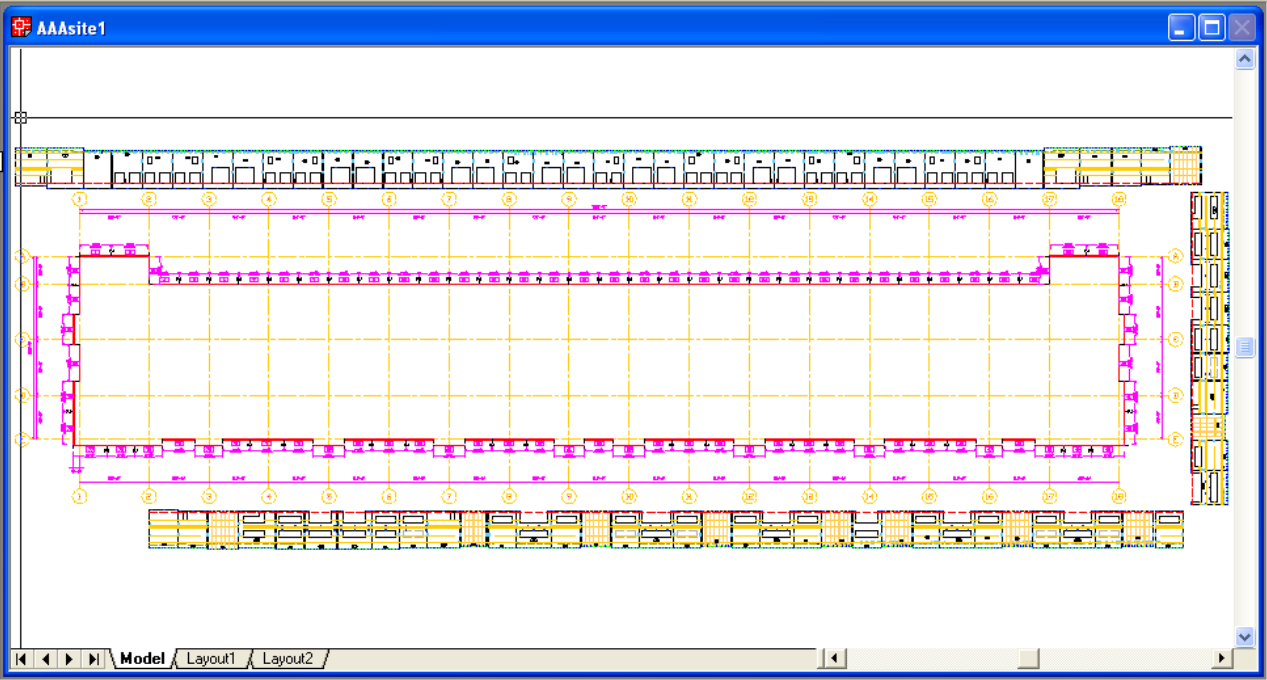
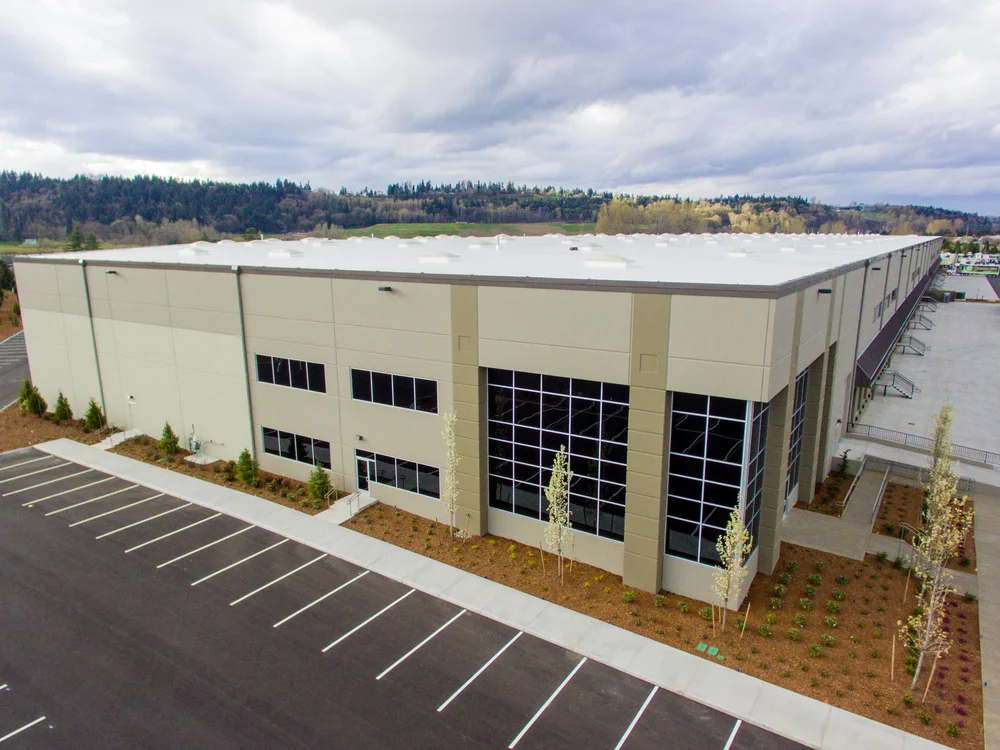
Greater Seattle Concrete is a leading tilt-up construction company in the Pacific Northwest. They use ConstructiVision to manage their most complex multi-panel projects — from initial layout through final panel book delivery.



How It Works — The Core Workflow
ConstructiVision structures tilt-up panel production into a repeatable pipeline from project setup through printed panel book.
Project Setup
Define the project name, building name, contractor, superintendent, location, measurement system, drawing scale, and paper size. These defaults propagate automatically to every title block generated by the project.
Panel Geometry
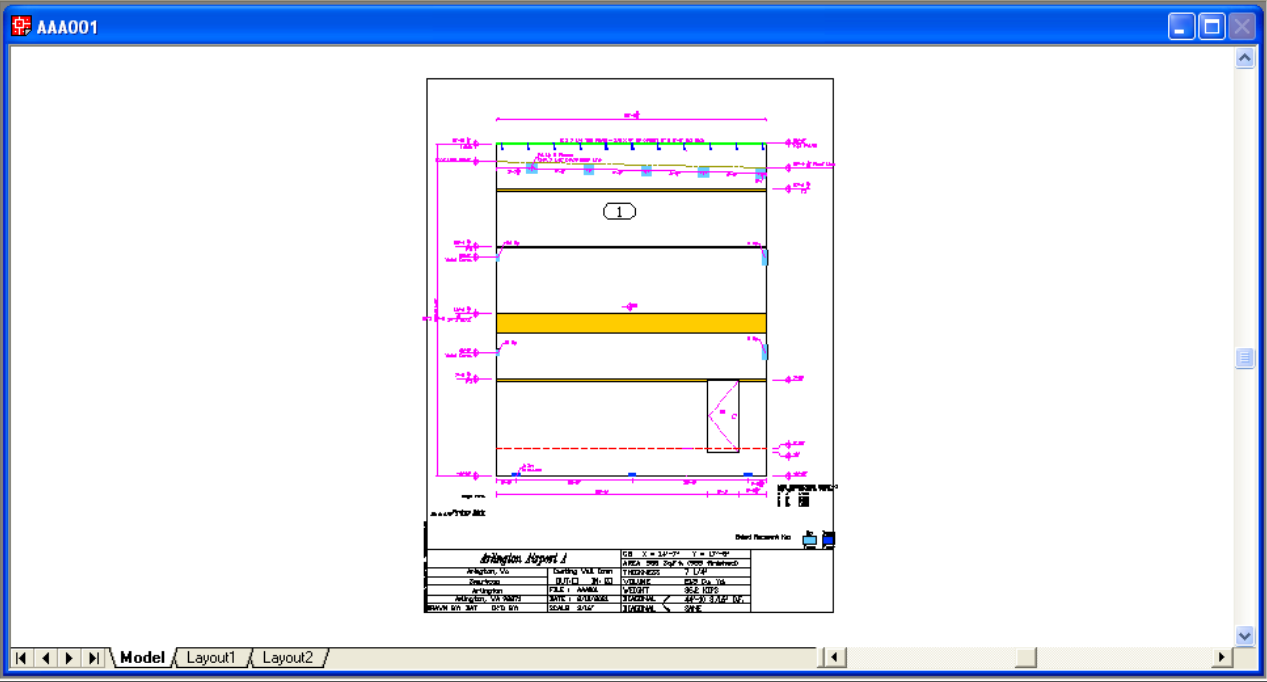
Specify the panel's thickness, width, bottom elevation, top-left / top-right / peak heights, arch radius, Z-offset, expansion gap, and casting face orientation. No mouse drawing required — the 3D solid model is generated from these numbers alone.
Feature Placement
Add panel features from one-click toolbar buttons: standard and rough openings, man doors, dock levelers, recesses and blockouts (rectangular, circular, arched, or triangular; a Recess with Z Offset 0 is a beam pocket), pilasters and lintels, spandrel seats, top steps and footing steps, chamfers, horizontal and vertical reveals, exterior face materials, sandwich panel layers, weld connections and embeds, slab dowels, ledgers and top plates, roof lines, and pick and brace points — all positioned by entering dimensions, not by drawing.
Automated Drawing Generation
Every OK runs the same four-stage drawing pipeline: it generates the panel geometry and its 3D solid with all features, takes the net area and concrete volume from that solid, dimensions the sheet, and finishes it with the title block, border, and revision stamp. The result is a dimensioned panel drawing ready to plot, and the same panel data always draws the same sheet.
Site Layout
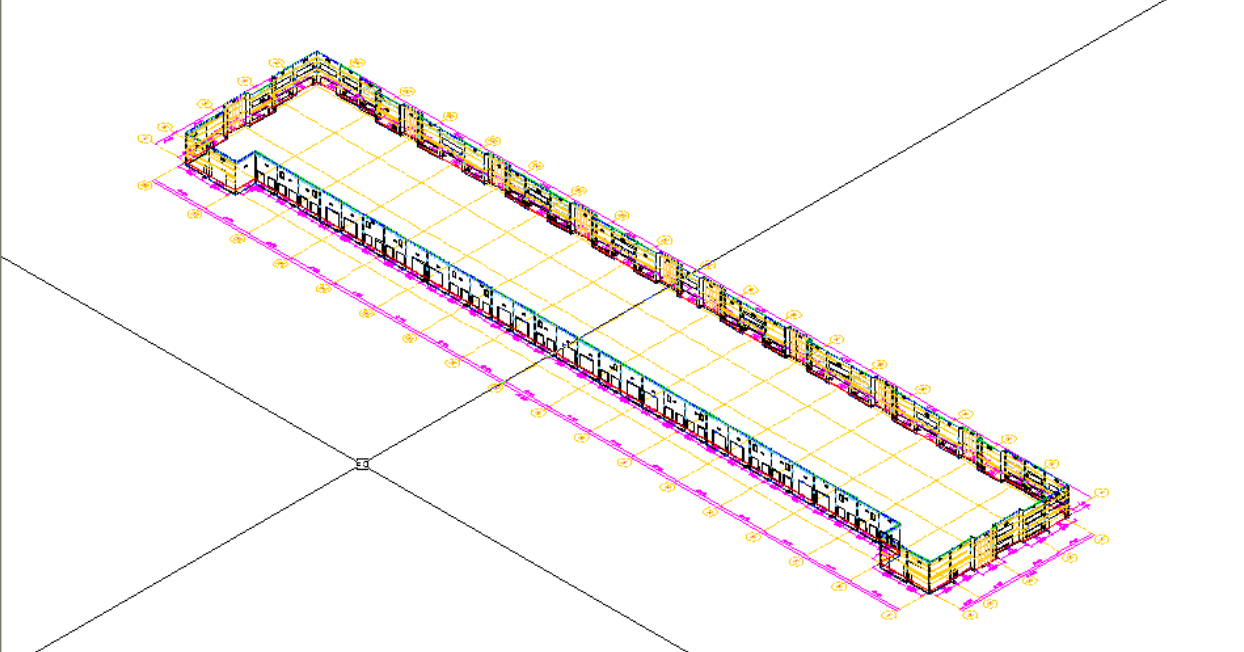
Assemble individual panels into a full site drawing with grid lines, wall lines, slab lines, and footing connections. Attach and detach panels, stand them up on their wall lines, run an interference check that lists every clash with its cause, create viewports, and verify that edge features — welds, reveals, and special profiles — align correctly between adjacent panels in both plan and 3D perspective.
Batch Production & Documentation
Run Print Panel Book, Print Materials List, and Print Revision History across all panels or a selected subset in a single batch operation. Export data files for integration with lift engineering firms. Every print run is consistent because the output is generated from the panel data stored in each drawing, not from manually-maintained drawings.
Every Feature, in Groups
Everything ConstructiVision does today — 372 features in six groups. Each one is marked AutoCAD for ConstructiVision 12 for AutoCAD, Web for ConstructiVision Web in your browser, or AutoCAD + Web for both. A Coming soon item is in development and not in a release yet.
Jump to: Panel features · Site features · Crane & pick features · Project features · Profile features · QA features ·
Panel features 68
Everything you build on one panel drawing, from its size and shape to openings, finishes, embeds and the dimensioned shop-drawing sheet.
Panel size, shape and build-up
- Thickness, width and elevations AutoCAD + Web
Set panel thickness, width, bottom elevation and top elevations; every other feature is placed against these, measured from Finished Floor. - Elevation datum AutoCAD
Choose whether feature dialogs show elevations from Finished Floor or from the bottom of the panel; the stored values do not change. - Plan dimensions with gap deduction AutoCAD
Enter dimensions from the panel edge, the outside wall or the inside wall; wall-line dimensions have the expansion gaps deducted when the panel draws. - Dimensions typed as the plans read AutoCAD
Type 25'10, 25'-10" or 310, with fractions after a hyphen or a space; a value without a foot mark is inches. - Panel feature checklist AutoCAD
Main Panel Details lists every feature with a tick box; a ticked box always means the panel carries at least one enabled row of it. - Sloped top AutoCAD + Web
Give the top left and top right different elevations and the top slopes between them; the browser also takes a pitch such as 4/12. - Peaked (gable) top AutoCAD + Web
Set a peak distance from the left edge and a peak elevation to turn the top edge into a gable. - Arched top AutoCAD + Web
Enter a top arch radius and the whole top becomes one arc; AutoCAD refuses a radius under half the panel width. - Rounded top corners Web
Round either top corner of the panel with its own fillet radius. - Top steps AutoCAD
Drop the top of the panel to a lower height over part of its width at one end, up to two steps per panel. - Footing steps AutoCAD
Step the panel bottom where the footing steps, up to four per panel, even below the floor; the step is cut from the panel solid. - Edge miters AutoCAD + Web
Set a miter angle on either vertical edge so two panels close a building corner; AutoCAD also holds a Z offset for the cut. - Expansion gaps AutoCAD + Web
Set the joint gap on each vertical edge separately; AutoCAD's title block lists both, and the browser can fill them from the project joint. - Casting face AutoCAD + Web
Choose which face lies against the casting bed, outside or inside; the sandwich and exterior-face dialogs show which face is down. - Sandwich (insulated) panels AutoCAD
Record exterior wythe, insulation and structural wythe; the solid leaves the insulation out, connectors draw at the engineer's spacing, and a callout names the layers. - Opposite-hand copy AutoCAD + Web
Make a mirrored, opposite-hand copy of a panel for the facing wall; in AutoCAD, Linked Panels renumbers, mirrors and redraws it. - L-shaped corner pair Web
Pair two panels poured together as one L-shaped corner; each sheet marks the shared edge 'L corner, see both drawings'.
Openings
- Standard openings (windows) AutoCAD + Web
Cut rectangular window and generic openings by distance, sill elevation, width and height; up to eight per panel in AutoCAD, six in the browser. - Arched-head openings AutoCAD
Give a standard opening a radius and its head draws as a true arc; the radius must clear half the opening width. - Future openings AutoCAD
Mark a standard opening or man door as future and the sheet labels it FUTURE OPENING instead of an installed opening. - Man doors AutoCAD + Web
Place personnel doors by position, elevation, width and height, with the way each door opens drawn as its swing. - Common-size presets Web
Start a window, door or rough opening from a common-size palette; it lands centred on the panel and you adjust from there. - Dock levelers AutoCAD + Web
Place dock-height door openings, usually in pairs, by position, width and height; AutoCAD rows also take the side and the dock elevation. - Leveler pits AutoCAD
Record the leveler pit inside a dock opening with its own width and elevation, measured from the dock so it moves with it. - Dock door guards and drips AutoCAD
Tick Grd and the dock opening gets a guard at each side with a Door Guards label; tick Drip and it carries a Drip note. - Rough openings AutoCAD + Web
Place rough openings, such as a conduit or chase, by size and position on the panel; up to four per panel in the browser.
Blockouts and recesses
- Rectangular and round blockouts AutoCAD + Web
Cut through-holes by width and height, or round ones by radius; AutoCAD holds thirty rows per panel, the browser six of each shape. - Arch and triangle shapes AutoCAD
Cut arched or triangular blockouts and recesses; a negative triangle height turns it upside down for a clipped corner or sloped notch. - Partial-depth recesses AutoCAD
Give a blockout a depth less than the panel and it becomes a recess on the face you choose. - Pipe and conduit penetrations AutoCAD + Web
A round blockout cut clean through the panel and located by its centre; AutoCAD labels it with its diameter. - Beam pockets AutoCAD
A Recess with Z Offset 0 and a depth less than the panel forms a pocket open to the face for a beam to bear in. - Insulation blocks AutoCAD
A recess with a nonzero Z Offset sits inside the panel section as an insulation block rather than open to the face. - Form liner and exposed aggregate on a recess AutoCAD
Assign a form liner or exposed aggregate to a recess; it is hatched on the sheet and counted in the materials list. - Edge, face and opening placement AutoCAD
Snap a blockout to panel edges, carry it onto a panel edge or inside an opening, or switch off its dimensions where shapes combine.
Architectural finishes
- Horizontal reveals AutoCAD + Web
Recessed reveal bands across either face, up to 48 strips in AutoCAD; they stop at openings, dock levelers and round blockouts. - Vertical reveals AutoCAD + Web
Vertical reveal strips with their own button; on a sloped or gabled panel they stop at the top edge. - Arched, sloped and wrapping reveals AutoCAD
Curve a horizontal reveal with an arch radius, slope it end to end, or carry it onto panel edges and inside openings. - Reglets AutoCAD
A narrow reveal with real depth serves as a flashing reglet at the masonry interface. - Chamfer AutoCAD + Web
Bevel the edges of the panel, standard openings, man doors and dock levelers on either face or both, at 1/2", 3/4" or 1". - Chamfer as a note only AutoCAD
Call out the chamfer as a note without cutting the edge, useful on complex panels. - Roof line AutoCAD + Web
Dashed roof-line reference segments across the face, level or sloped, with a height at each end; in AutoCAD weld arrays can follow them. - Exterior face: form liners and face materials AutoCAD
Record form liner, thin brick, stone, exposed aggregate or sandblast area by area; the sheet hatches each area, around standard openings, with a callout. - Panel finish attributes Web
Record quantity, finish, color, sealer and notes for a panel; quantity multiplies that panel in the take-off.
Thickenings, ledgers and seats
- Pilasters AutoCAD + Web
Thickened columns built into the panel, snapped to an edge or placed by distance, standing off the up or down face. - Lintels, corbels and brick ledges AutoCAD
Horizontal thickened bands set between elevations, sloped or stepped if needed; the product's Lintel is also the corbel and the brick ledge. - Lintel Details AutoCAD
A second Lintel dialog for quick bands placed by side, distance, elevation, width, height and added thickness, up to three per panel. - Spandrel seats AutoCAD + Web
Place a seat at a set elevation for a spandrel member to land on; the browser calls this dialog Side Slabs. - Ledgers AutoCAD + Web
Lumber or metal ledger bars across the inside face, level or sloped, with their anchor bolts drawn along each bar. - Top plates AutoCAD + Web
A top plate snapped to the top of the panel, with its anchor bolts; it also runs over the top of each pilaster. - Anchor-bolt spacing and trim rules AutoCAD
Bolts space by maximum spacing or count, in single or double rows, and trim or step at openings, blockouts, pilasters and welds.
Embeds and connections
- Weld connections AutoCAD + Web
Place weld-plate embeds by edge distance and elevation, or snapped flush to an edge, on the up face, down face or both. - Weld connection arrays AutoCAD + Web
Repeat a connection horizontally or vertically at a spacing and count; a count of 0 fills across the panel. - Roof-line tracking and sloped arrays AutoCAD
Weld arrays follow the roof line at an offset; sloped arrays get a string line and an extra baseline dimension for placement. - Pocket at an embed AutoCAD
Add a joist, girder or chord pocket at a weld connection, with its own width, height, elevation and depth. - Embed library AutoCAD + Web
Define connection and embed types once per project, with mark, size and IDs, then pick them from every panel's Type list. - Inserts as embed types AutoCAD
Coil inserts and other cast-in items are defined as catalog types, placed like any embed and totalled by their designation. - Slab dowels AutoCAD + Web
Rows of dowel bars along the panel base, set by elevation, spacing and how far they extend past the panel.
Drawing outputs
- 3D solid model AutoCAD + Web
Every panel is a true 3D solid at its thickness, with openings cut as voids and thickenings built into the body. - 3D viewpoints and shading AutoCAD
Turn the panel to its top, edge or isometric views and switch shading off, hidden or shaded. - Automatic dimensions and elevation markers AutoCAD + Web
Each feature is dimensioned from the panel edge with elevation markers from Finished Floor, redrawn every time the panel changes. - Title block AutoCAD + Web
Carries panel mark, project details, volume and weight; AutoCAD adds expansion gaps and top elevation and takes volume and weight from the 3D solid. - Panel mark AutoCAD + Web
Build the mark from a prefix, number and suffix; it shows in the mark bubble and names the panel drawing. - Gridline marks AutoCAD
Show the site gridline bubbles beside either panel edge, placed for a plain, butt or bypass corner joint. - Weld schedule and Embed Placement Key AutoCAD + Web
The sheet's weld schedule lists the plates drawn, and its Embed Placement Key shows which face each embed is cast on. - Panel shop-drawing sheet AutoCAD + Web
A dimensioned panel sheet with border and title block, plotted to PDF from AutoCAD or exported as PDF from the browser. - Automatic drawing scale AutoCAD + Web
The sheet picks its drawing scale automatically, or you set the scale yourself. - Layer views AutoCAD + Web
Show one trade at a time, such as edge form, ledgers and top plate, weld connections or reveals, or pick layers yourself. - Build-phase views AutoCAD
Show the panel one build phase at a time, Form, Face, Down Face, Up Face or Pick and Brace, or All; nothing is saved.
Site features 56
Everything that turns a set of panel drawings into a building: the site grid, wall lines and slab, panels placed around and on their walls, casting layouts, site views and sheets, and moving the site between AutoCAD and the browser.
Site drawing and setup
- Site drawing type AutoCAD
New Drawing asks Panel or Site; a site drawing can start from a template or from scratch and inherit the project's details. - Site buttons and Site menu AutoCAD
Five toolbar buttons and a Site menu open the Site Options hub and the grid, wall line and slab dialogs in one click. - Site Options hub AutoCAD
The Site Plan button opens one hub to create or open site drawings, attach, detach, tilt up, lay out, save layouts, view and print layers. - Site Drawing Options hub AutoCAD
The Site Drawings button opens the hub holding the Grid Lines, Wall Line and Slab on Grade dialogs. - Recognised by its own site record AutoCAD
After the first site dialog OK, the drawing is known as a site by its own stored data, whatever its name; panel drawings are refused. - Redraw from stored definitions AutoCAD
OK on the grid, wall or slab dialog erases and redraws that layer from the stored definitions; Cancel leaves the drawing as it was. - Site Setup in the browser Web
One browser dialog holds the site name, north arrow, grid spacing, plot scale, grid system, wall lines and slab lines, on any project.
Grid lines
- Lettered and numbered site grid AutoCAD + Web
Choose Letters or Numbers for each direction and the order they run, with up to 50 lines in each direction. - Preset Grids AutoCAD
Enter First, Last and Spacing and an evenly spaced run of grid lines fills itself in one step. - Insert Grid AutoCAD
Slip a new line between two existing ones with a decimal sub-label such as 2.1; the lines after it shift down automatically. - Grid distance display AutoCAD
Show each grid distance as spacing from the previous line or running distance from the first; the stored grid is identical either way. - Drawn grid with bubbles and dimensions AutoCAD
Each grid line draws with a labelled bubble at both ends, with spacing and overall dimensions on all four sides, scaled to the site. - Site orientation AutoCAD
Record which way the top of the drawing faces, North, South, East or West, from the Drawing top faces row in Gridline Details. - Grid comes first AutoCAD + Web
Wall lines are described from the grid, so the wall dialog will not start until both directions have at least one labelled line.
Wall lines and corners
- Wall Line Details AutoCAD + Web
Up to 64 wall runs, each begin and end given as a grid reference plus offset and an elevation, so walls can step or slope. - Panels listed on each run AutoCAD + Web
Each wall run lists its panels in order; AutoCAD takes ranges like 4-22 (22-4 reverses), and the browser flags marks no panel carries yet. - Clockwise walk sets panel facing AutoCAD
Runs entered clockwise face every panel's outside out of the building; pressing Enter copies a row's end into the next row's start. - Pick Wall Lines AutoCAD
Pick the building corners on the drawing; each lands on a grid reference, panels are shared out in number order, and Yes writes the runs. - Wall line reference face AutoCAD
Set whether wall lines run on the panels' outside face, centre, inside face or a custom distance, site-wide or row by row. - Corner condition per wall end AutoCAD
Mark each wall end Butt, Bypass or Miter; Attach then warns when a stated corner disagrees with the panel standing at that end. - Corner conditions on browser elevations Web
Set each wall's ends to Continuous, Terminating (interior or exterior), Miter, Pilaster, L-Panel or Gap; the connected wall takes the matching condition.
Slab, closure strip and footings
- Slab edge and thickness AutoCAD + Web
Enter the slab edge segment by segment from the grid with one slab thickness; the browser also accepts a thickness at each end for thickened edges. - Closure strip and brace line AutoCAD
Slab Details carries a Closure Strip (default 60 in) and a Brace Line (default 120 in), each drawn as a ring inside the slab edge. - Footings and wall clearance line AutoCAD
Autosite draws a footing under every placed panel, stepping with each panel's bottom, and a wall clearance line outside the walls' outside faces. - Closure strip and brace line in the browser Web Coming soon
Planned: browser Site Setup gains the closure strip and brace line, so they survive a project brought over from AutoCAD.
Placing panels on the site
- Attach Panels (perimeter inventory) AutoCAD
Every panel the wall lines list lies flat around the building at real size, beside its own wall, with a P-NN mark at its centre. - Live panel references AutoCAD
Panels join the site as live references to their own drawings, so a panel revision shows on the site at the next open or reload. - Safe to repeat, refuses to guess AutoCAD
Attach replaces its own earlier set rather than stacking a copy, asks for any panel drawing it cannot find, and changes nothing if cancelled. - Detach Panels AutoCAD
Removes every panel reference with its panel numbers, labels and braces; the grid, wall lines, slab and panel lists stay for the next Attach. - Tilt-Up Panels AutoCAD
Stands each attached panel on its wall line in the position Attach recorded, each at its own expansion gap along the wall. - Autosite AutoCAD
In a new drawing beside the panels, builds the site from their gridline marks: grid, wall lines, attached panels, slab, footings and a cast-in layout. - Draw Site Plan AutoCAD
One click redraws the wall lines, and the grid and slab where missing, from the site's stored record, and reports what it drew. - Browser panel placement Web
Marks on a wall run label it; Place Panel and Edit Placement set each panel's actual position and rotation, which the site exports carry. - Browser elevations Web
Group panels into the building's walls, then reorder, sort, split or join walls and move panels between them; check the result in 3D. - Multi-level buildings Web
Add a floor by cloning Level 1, and the browser's 3D building stacks the levels with slabs between them and a roof on top.
Casting (construction) layout
- Layout Panels AutoCAD
Lays the set flat where it stands, spaced by each panel's own expansion gaps (1 1/2 in if none); later runs restore the saved layout. - Save Layout AutoCAD
Records the current casting arrangement inside the site drawing; Tilt-Up Panels and Layout Panels then move the set between standing and casting. - Named panel layouts AutoCAD
The Save Layer State button saves the panel arrangement under a name you choose, lists earlier saves, and asks before overwriting one. - Construction Layout IN AutoCAD
Casts the set inside the building, on the poured slab where one is drawn, in rows along their walls at 1 1/2 in form spacing. - Construction Layout OUT AutoCAD
Casts the set outside the building, one straight row per side, the same arrangement Attach Panels makes. - Cast Layout Draw AutoCAD
Draws a casting-layout sheet with every panel's casting outline and mark under a title line, and keeps the casting list inside the site drawing. - Browser Cast mode Web
Drag panels to their casting spots, set Gap and Wall clearance, view in 2D or 3D; the standing and casting arrangements are both kept. - AutoCAD cast yards in the browser Web
A casting layout brought over from AutoCAD in a site or project file is drawn as a plan in the browser's Cast mode.
Site views, layers and sheets
- Site Layer Control AutoCAD
A checklist of site layer families, from panels, grids and slab to footings and wall/slab lines, with dimension switches; turning panels off speeds large sites. - Site print preset AutoCAD
Print Select Layouts turns off grid, construction lines and most dimensions, then plots; a site print fills the page and is not to scale. - View All and Print All Layers AutoCAD
Turn the site's layers on to see the whole site, or turn them on and go straight to the plot dialog. - Plan, elevations and isometrics AutoCAD
Jump to the site plan, the north, south, east or west elevation, or one of four isometrics from the View menu or Change 3D Viewpoint. - Shaded standing building AutoCAD
Choose Off, Hidden or Shaded; after a site draw or Tilt-Up the site finishes in a shaded isometric and reopens that way once saved. - CV Sheets AutoCAD
One command adds ARCH D (24 x 36 in) sheets to a site drawing: site plan, pick plan and elevations, each at a standard scale. - Browser Site Layers Web
Each site layer has separate View and Print switches, with All/None buttons and No dims on plot to drop every dimension from the sheet. - Interactive 3D building Web
Orbit, zoom and pan the whole building in the browser, toggle Grid, Ground and Marks, and switch between 3D and a flat plan. - Plans and sheets Web
The browser's Building view derives an overall plan, floor, roof and foundation plans, wall and footing sections, and door and window types from your panels.
Site export and exchange
- Site plan DXF Web
Exports the placed panels, grid and notes on SITE, GRID and NOTES layers, counting placements first; one token, re-exports free. - Site file (.cvsite) Web
Export one site plan as a native site file and import it into any project to replace that project's site layout. - Site travels in the project file AutoCAD + Web
A project or site file from AutoCAD carries its site plan into the browser: grid and wall lines come across; slab edges do not yet. - Send the site to the browser AutoCAD
Typed commands export the current site drawing, or its construction layout, for opening in ConstructiVision Web.
Crane & pick features 49
Planning aids for lifting and bracing tilt-up panels, covering pick and brace points, crane choice, pick plans and rehearsals, with every result reviewed by your lift engineer.
A crane never stands across the slab edge. Every crane station sits wholly on the poured slab or wholly off it, judged by the machine’s tracks or outriggers. These tools are planning aids: every lift and bracing plan is reviewed by a qualified lift engineer before it is used.
Pick points, brace points and the CG
- Pick Points AutoCAD + Web
Place the lifting inserts: in AutoCAD as columns across the panel times row elevations up it, in the browser as up to eight slots. - Pick point layout options AutoCAD
Space columns from the edge or evenly, mirror the left half, measure rows from finished floor, panel bottom or top, and drop the middle dimension. - Brace Points AutoCAD + Web
Place the inserts each brace attaches to. AutoCAD rows set top or bottom, elevation, measure-from, column and insert type; the browser places up to eight. - Brace side per row AutoCAD
Each brace point row sets its side: inside the building, outside it, or both faces. - Placeholder points with a demonstration warning AutoCAD
Panels with no entered pick or brace points show placeholders marked in red as demonstration and rehearsal only, until the engineer of record's are entered. - Centre-of-gravity mark AutoCAD + Web
Marks the centre of gravity, with X and Y, for your engineer to verify: read from the 3D solid in AutoCAD, approximated from the face outline in the browser. - Pick/Brace Points print preset AutoCAD
Print the panel showing only its outline with the pick and brace points, from Print > Panel > Pick/Brace Points.
Build-phase views and phase books
- Build-phase buttons AutoCAD
Toolbar buttons show the panel one build stage at a time, 1 Form through 5 Pick and Brace; All restores it. Nothing is saved. - 5 Pick and Brace view AutoCAD
Shows only the pick and brace points and their callouts, with the panel, its overall dimensions, the CG and a footnote naming the phase. - Combine phases on one sheet AutoCAD
From a phase view, click more buttons to add or remove stages. A footnote names what is shown; weight and CG stay the complete panel's. - Phase-view panel book AutoCAD
Batch Utilities prints the panel book in the phases you tick. Each panel is redrawn for the print and the complete panels stay on disk.
Crane selection and catalog
- Crane Configuration AutoCAD
Choose the crane machine and weight units (tonnes, short tons or kips). Every crane tool uses that machine, and both choices survive an AutoCAD restart. - Crane catalog AutoCAD + Web
Twenty-four crawler and all-terrain machines, each marked as using the maker's published load chart or a representative one. - Unmodelled load chart notice AutoCAD + Web
When a machine's load chart is not modelled, the product says so and names the chart its comparison used instead. - Machine-change warning AutoCAD
After a machine change, you are warned when a drawn crane or the casting yard still shows the old machine, and offered a yard redraw. - Browser crane picker and 3D crane Web
Choose the crane in Cast mode from the same catalog. Its 3D model and capacity rings follow it, and representative charts are labelled as estimates.
Crane at a position you choose
- Draw Crane AutoCAD
Draws one crane at a point you give, with its reach ring and capacity bands. It does not check the slab edge. - Crane Pick AutoCAD
Type a crane centre and select a panel; the crane is drawn reaching it and the panel's weight compared with the chart at that radius. - Crane Capacity Check AutoCAD
From one crane centre you type, compares every cast panel with the chart at its cast and set radius, listing only those that fail. - Crane and rings on the casting-yard sheet AutoCAD
Cast Layout Draw adds the crane with capacity rings and a red ring marking where the heaviest panel would exceed the chart. - First-pick crane staging AutoCAD
Construction Layout IN and Autosite place a first-pick crane, refuse when no position keeps its tracks on solid ground, and mark an unchecked placeholder.
Pick-and-place planning
- Plan Picks AutoCAD
Plans every pick in mark order after Construction Layout, scoring each crane station against the drawn slab edge, for your lift engineer to review. - Refuses a site with no drawn slab AutoCAD
Plan Picks stops and places nothing when the site has no drawn slab outline to test crane stations against. - Station reasons and lift order AutoCAD
Suggests crane stations with the reason for each stop, merges overlapping stations, and orders lifts so braces and casting beds do not block later picks. - Job clock AutoCAD
Shows a job clock for the planned picks at two measured working paces, and a planning meter while the plan is worked out. - Sequence kept by swapping beds AutoCAD
When a panel would come up early to keep the crane off its casting bed, the plan swaps beds so panels still set in order. - Planned brace placement AutoCAD
Planned braces stand within the recommended band from each panel edge; a brace that would land in a door or window slides onto solid concrete. - Tracks parallel to the nearest wall AutoCAD
At each planned crane station the tracks run parallel to the nearest wall. - QA check offered first AutoCAD
Before planning, Plan Picks offers to run the Interference Check, because fixing the layout after a long plan means planning again. - Plan Picks parameters AutoCAD Coming soon
Plan Picks will ask for the starting panel, the direction around the building, on-slab or off-slab stations, and no-go grid squares. - Relay picks AutoCAD Coming soon
When no station reaches both the pick and the set, the planner will lay the panel down closer and pick it again. - Crane rehearsal in AutoCAD AutoCAD Coming soon
A dialog to step through a planned pick and brace sequence one pick at a time, showing station, radii, capacity and the panel's load.
Tilt-Up and bracing
- Tilt-Up Panels AutoCAD
Stands the attached panels up on their wall lines in the positions Attach recorded. Select panels first to stand only those. - Braces drawn at Tilt-Up AutoCAD
Tilt-Up draws each panel's braces from its brace points as pipes with end fittings on their own layer, then puts your current layer back. - Default braces AutoCAD
A panel with no brace points gets two to four default braces by panel area, and the run summary counts the panels that used them. - Brace Plan mode Web
Lay out braces for the panels you select from rules: brace side, brace angle, insert height, maximum spacing and minimum braces per panel. - Per-panel brace override Web
Select a single panel to override its brace rules, and reset it to the defaults with one click. - 2D and 3D brace view Web
View the brace plan in 2D or in 3D on the slab, to see where each brace foot lands.
Crane and pick simulation in the browser
- Cast-mode crane overlays Web
In Cast mode, show the crane's capacity rings and arrows from each casting bed to the panel's place on the wall. - Pick order Web
Order the picks by project order, heaviest or lightest first, by dragging, or from a simulation result. Reset returns the original layout. - Pick animation Web
Play back each pick in 2D or 3D (travel, swing, lift, set and brace, release) with play, pause, rewind, fast-forward, skip and speed controls. - Pick Sequence Simulation Web
A membership feature comparing candidate pick orders on arm rotation and extension, crane moves, rig changes, swing distance and critical picks, beside 500 random orders. - Critical-pick count Web
For each candidate order, counts picks that come within a quarter of the crane's chart capacity at their radius, for the lift engineer to review. - Tied criteria marked Web
Criteria that read the same for every order are marked tied, so you can see which columns cannot separate the candidates. - Score and apply an order Web
Tick the criteria that matter, see the best order starred, and apply its pick order back to the cast layout.
Hand-off to the lift engineer
- Engineering export Web
Writes a panel's outline, openings, embeds and lift and brace points in a lift-insert supplier's own file format, headed with your company's details. - Engineering import Web
Reads the lift engineer's returned files, several at a time, shows what each will change, and applies the engineer's positions to the matching panels. - SE Verification Record Web
Exports lift and brace point coordinates, centre of gravity and lift, weight and squaring diagonals as JSON or a CSV check-sheet for independent review. - Lift-firm files from AutoCAD AutoCAD Coming soon
Writing a lift-insert supplier's own file format straight from AutoCAD is being reconnected. Until then, send the project and panel data files.
Project features 74
Everything around the panels: setting up and tracking a project, keeping drawings and revisions in step, issuing books and take-offs, moving work between AutoCAD and the browser, and managing your account.
Projects and setup
- New Project AutoCAD + Web
Start a new building project. In AutoCAD one Project Details form collects the job, then creates the project folder and its project file. - Project Details AutoCAD
Enter the job, contractor, superintendent, concrete strength at lift and unit weight, precision, language and paper size once; every panel's title block draws on them. - Imperial or metric projects AutoCAD + Web
Work in imperial or metric. AutoCAD fixes the choice at project creation; metric sheets print whole millimetres and ISO dates, while stock items keep inch sizes. - Project settings and Drawing Setup (browser) Web
The gear by the project name holds contractor details, panel prefix, language, units, precision, paper, orientation, title block and snapshots; Drawing Setup is a shortcut. - Project page with weather and map Web
Edit > Project shows the job's details, concrete, joint and reinforcement settings beside a live job-site weather forecast and a map of the address. - Open, create and edit drawings AutoCAD
Open any project drawing, start a new panel or site drawing from a template, or open the editor for the drawing in front of you. - Program Options hub AutoCAD
One dialog of twelve buttons for work above a single panel: new or existing drawings, new projects, batches, layers, materials list and revision history. - Project browser AutoCAD
Lists the ConstructiVision projects found on this computer with their drawings, marks a copied project folder, and opens the drawing you pick. - Change Project Folder Location AutoCAD
Rename a project or point it at another folder; it writes the project file there, moves no files, and says how many drawings to move. - Slope Calculator (AutoCAD) AutoCAD
Enter a sloped run and its end elevations to read back the elevation at any distance, from the toolbar or inside Ledger and Weld Connections. - Slope Calculator (browser) Web
Convert one slope between rise and run, angle, percent and ratio; it changes nothing on the panel. - Foot/Inch Calculator AutoCAD
The Calc button in feature dialogs opens a feet-and-inches calculator for sums, differences, areas, volumes, hypotenuses and board feet; it changes nothing in the drawing.
Tracking progress and keeping panels current
- Tracker AutoCAD
Shows each phase as done, now or to do, the next step and progress so far, with a finish estimate once there is history; opens project drawings. - Rebuild the project file from the Tracker AutoCAD
When the project file is missing panels, choose Quick to record them without changing the drawings, or Full redraw; neither spends a token. - Linked panels AutoCAD + Web
Link clone or opposite-hand copies to an origin panel. AutoCAD offers to update every copy when the origin is saved; the browser flags out-of-date copies. - Automatic drawing update AutoCAD
Batch Utilities' Update Drawings opens, redraws from stored data and saves every selected panel in turn, bringing the whole set current. - Up-Convert Panel AutoCAD
Rewrites an older panel's data in the current format beside the original record; nothing is deleted, and keeping the offered backup makes it undoable. - Upgrade an older project's weld connections AutoCAD
A typed command widens an older project's weld rows to the current format, keeping each plate's edge setting, offset and position.
Revisions and history
- Revision log and stamp AutoCAD
Change a released panel and ConstructiVision numbers and dates the revision, asks for your reason, and stamps the newest revision on the sheet. - Every save keeps the previous drawing AutoCAD
Each panel save keeps the previous drawing as a numbered backup beside it, and refuses to save rather than overwrite it. - Revert and Restore revisions AutoCAD
Step a panel back one saved revision and forward again from the menu; nothing is deleted, and you cannot walk off either end. - Revision history report AutoCAD + Web
Print one panel's or a whole set's revision history in AutoCAD, or download a revision sheet for the chosen panels in the browser. - Revision Notes Web
Record each revision's date, author, description and notes; issuing a panel book with Finalize adds one for every panel in scope. - Project snapshots Web
The browser keeps automatic snapshots of the project on this device, the last 20 by default; restore or delete any from the list.
Printing, panel books and take-offs
- Print Setup AutoCAD
Every print ends in one Plotter Selection dialog; a PDF plots at the sheet's stated scale and lands beside the drawing. - Print All Layers and trade sheets AutoCAD
Print the complete panel, or one trade's sheet: Edge Form, Ledgers/Top Plate, Weld Connections, Reveal, or Pick/Brace Points. - Site print AutoCAD
Print Select Layouts presets the site layer set and plots the site plan fitted to the page; read its dimensions rather than scaling it. - Panel book (AutoCAD) AutoCAD
Batch Utilities brings each selected panel up to date and prints it, asking for the plotter once; tick a phase to print one build stage. - Panel book PDF (browser) Web
Choose the panels, then issue the book: Finalize stamps a revision on each, and a short token balance exports what it can and says so. - Site sheet set AutoCAD
In a site drawing, a typed command adds ARCH D sheets: the site plan, a pick plan carrying a slab-edge safety note, and the building elevations. - Materials list (AutoCAD) AutoCAD
Counts the drawn panel's weld embeds by catalog name, pick and brace inserts, bolts, net area and concrete volume into a spreadsheet-ready CSV. - Materials list (browser) Web
Totals the project's concrete, finished and form areas, reinforcing steel and chamfer, and counts pick, brace and weld points, with a one-token CSV download. - Batch Utilities (browser) Web
Pick a scope that names its panels, then duplicate, add opposite hands, export lift-firm files, stamp a revision or download a revision sheet across them. - Project-wide materials list in AutoCAD AutoCAD Coming soon
One combined take-off across the panels selected in Batch Utilities; today, run Materials List per panel and combine the CSV files. - Lineal-footage items in the AutoCAD take-off AutoCAD Coming soon
Chamfer strip, reveal strip, edge form, treated lumber and brace extensions totaled on the panel take-off; today the list names them as pending.
Import, export and sharing
- Project file kept current AutoCAD
Every Main Panel OK refreshes the panel's data file and the project file beside the drawings, site included; there is no separate export step. - Export to ConstructiVision Web AutoCAD
Typed commands export the current panel, site drawing or construction layout on demand as files ConstructiVision Web opens. - Move projects between AutoCAD and the browser AutoCAD + Web
Drop a project or panel file from AutoCAD into the browser, free; an AutoCAD export is a transfer file, and some detail, such as welds, may not carry. - Native project files Web
Export the whole project (.cvp), one panel (.cvpanel) or one site plan (.cvsite) to move or reuse it; the site export needs a site. - Project templates (.cvt) Web
Export a project as a template that keeps panel shapes and settings but strips job details; importing it starts a new project. - Panel DXF export Web
Export the selected panel as an AutoCAD R2000 DXF on the layer names AutoCAD panels use; the dialog lists anything the file omits. - Site DXF export Web
Export placed panels, grid and notes as a site DXF; the dialog counts placements first, so an unplaced site cannot export blank unnoticed. - Import CV File Web
One import reads project, template, panel, site and extraction files, and reports what it found before anything changes. - Import DXF Web
Bring R2000 DXF geometry into the open project; its layers, including AutoCAD's own panel layer names, decide what arrives. - Team cloud project library Web
Open, create, save and delete projects shared across your organization, move browser-only work to the cloud, and drag in project files. - Cloud autosave Web
For members, the editor saves to the cloud as you work and says so: All changes saved, Saving, or saved offline until you reconnect. - Share by link Web
Copy one link that carries the whole panel book; anyone can open it read-only in a browser, with no account needed. - Cloud project backup AutoCAD + Web
After each AutoCAD save, the project file and its panel licences are backed up, encrypted, to your organization's account; an admin can turn backup off.
Engineering handoff and blueprints
- Lift-engineering file (AutoCAD) AutoCAD
A typed command writes the open panel's engineering file in one of three lift-firm formats beside the drawing; company and concrete fields are left blank today. - Engineering export (browser) Web
Send the active panel to a lift firm in that firm's file format; your company and contact details are saved on the project for next time. - Import an engineering reply Web
Read a lift firm's returned engineering files, several at once, and see how many panels they applied to, to compare with what you sent. - Structural engineer verification record Web
Export the pick and brace coordinates, dowel specs, centre of gravity and weight the drawing carries, as JSON or CSV, for the engineer's independent check. - Blueprint to Book Web
Drop a job's construction drawing set PDF to get a draft project and panel book to check; the book mints its drawings, one token each, and scanned sets need membership. - AI Takeoff Web Coming soon
Upload an architectural and structural blueprint set and get a draft tilt-up shop-drawing project back; the upload flow is being finished, and pilot enrollment is open. - Firm details for the AutoCAD engineering file AutoCAD Coming soon
A firm details dialog will fill the company and concrete header fields the AutoCAD engineering file leaves blank today.
Account, tokens and licences
- Your account and team Web
Create a free account with Google, LinkedIn, Autodesk or email; colleagues at your company's email domain share one organization, token balance and membership. - Membership and tokens AutoCAD + Web
A 7-day trial with 10 tokens per organization, then monthly or annual membership that credits tokens; token packs never expire and are shared by your team. - Account at a glance AutoCAD + Web
AutoCAD's read-only Account window shows your email, organization, plan, membership, renewal date and token balance; the browser's welcome screen shows status and balance. - Billing page Web
Read your membership status and full token ledger, open invoices in the Stripe portal, and revoke workstations you authorized. - Link a workstation AutoCAD + Web
Sign In opens a browser sign-in and links the AutoCAD seat to your organization; a one-time code works where the hand-off is blocked. - Per-drawing licence AutoCAD
One token permanently licenses a panel drawing; the licence lives in the drawing, so it prints and exports free, offline, on any machine. - Token status at Main Panel OK AutoCAD
Beside OK, Main Panel says whether the panel is licensed, will use one token, or will be refused; a refused licence offers a Buy tokens button. - A licence covers one panel AutoCAD
A licence covers one panel mark: a moved project keeps its licences, but a copied drawing must be licensed as its own panel before it plots. - One token per drawing in the browser Web
In the browser, a panel drawing or site plan is minted, for one token, the first time it is exported or printed; every later export of it, in any format, is free, and the materials CSV is always free. - Licence check on printed sheets Web
A paid browser panel sheet prints its licence ID and a check link, so anyone holding it can confirm the licence was bought for that panel. - Support access to your backups Web
An organization admin can opt in to let SimpleStruct support open project backups to diagnose a reported problem; it stays off unless turned on. - Account deletion request Web
Request account deletion from account settings, with a warning that drawing licences may not be recoverable afterwards.
Installing and updating
- Download and install AutoCAD
Sign in on the downloads page, unzip, run Install.cmd and start full AutoCAD 2025-2027 for Windows; the menu and toolbars load themselves, no admin rights needed. - Update prompt AutoCAD
Once a month at start-up ConstructiVision offers the newest version; click Yes, and it installs once every AutoCAD window has closed. - Check for updates now AutoCAD
Check for Updates, or typing CV-UPDATE, asks the server straight away and says on the command line when you are already current. - Protected update install AutoCAD
The updater checks the download before replacing anything and waits for AutoCAD to close, so an incomplete download leaves your working version untouched. - Version and About AutoCAD
Version / Check for Updates prints the installed build, and Program Options shows the installed version across its top. - Clean uninstall AutoCAD
Uninstalling removes everything ConstructiVision installed: backups, staging files, support-path entries and local data. - Browser product updates Web
The browser product updates itself and shows a Reload banner when a new version is ready; on Chromium browsers it installs as an app.
Profile features 46
These are the settings and account tools that follow you or your workstation rather than one project: your SimpleStruct account, workstation sign-in, tokens and billing, privacy choices, how ConstructiVision looks, learning, and updates.
Your SimpleStruct account
- Free SimpleStruct account Web
Create one free account with Google, LinkedIn, Autodesk or your company email. No credit card is needed. Personal email addresses are refused by default. - Your company's organization AutoCAD + Web
Sign up with your company address and you join its organization automatically. Everyone in it shares the token balance, membership, drawing licenses and cloud projects. - Sign-in options and Remember me Web
Sign in with a provider, a password or an emailed link. Remember me keeps you signed in 30 days instead of until the browser closes. - Sign-in methods and a linked Google sign-in Web
The Billing page lists how you can sign in, and links a Google account, even a personal one, to the same account and organization. - Account menu in the top bar Web
The top bar shows your membership, token balance and name; its menu links Billing history, Learning progress, Buy credits, the CAD download and Sign out. - Account in AutoCAD AutoCAD
A read-only Account dialog shows your email, organization, role, plan, renewal date, panel tokens and pairing. Edit on the web opens your account.
Workstation sign-in (pairing)
- Link this workstation AutoCAD + Web
On first start, ConstructiVision offers to link AutoCAD to your account. Click Yes, or later choose Sign In (Link Workstation), and finish in your browser. - Hands-free pairing with your Autodesk sign-in AutoCAD
If SimpleStruct already knows the Autodesk account you use in AutoCAD, the workstation links itself without asking. - Pickup-code fallback AutoCAD + Web
If your network blocks the browser hand-off, the sign-in page shows a one-time code to paste in AutoCAD; it expires in about 90 seconds. - Name your workstation Web
Before you authorize a computer, give it a label such as Office laptop. That label is how it appears on your Billing page. - Authorized workstations Web
Billing lists each computer you paired, when it was authorized and last used. Revoke one instantly; links expire after 90 days or 30 unused days. - Personal pairings, up to five devices AutoCAD + Web
Pairing belongs to each person and each Windows login. You link up to five devices. Teammates cannot see or revoke your computers. - Startup account check-in AutoCAD
Each time AutoCAD starts, a paired computer reports your token balance and membership on the command line. An unpaired computer says how to sign in.
Membership, tokens and billing
- Free trial for your organization AutoCAD + Web
The first sign-up from your company starts a 7-day trial of full membership with 10 tokens. No card is needed, and trial tokens never expire. - Your token balance in AutoCAD AutoCAD
See your organization's tokens in the Account dialog and beside Main Panel's OK. When tokens run out, the message has a Buy tokens button. - Membership summary Web
The Billing page shows your membership status, plan, renewal or end date, and your organization's panel credits. Refresh reads them again. - Token activity ledger Web
Every trial grant, monthly credit, token pack, spend and refund across your organization is listed newest first, with a running balance. Download it as CSV. - Buy tokens or a membership Web
Start a monthly or annual membership, or buy a 10-token or 100-token pack. Checkout runs on Stripe, and purchased tokens never expire. - Manage subscription and invoices Web
Manage subscription opens Stripe's portal to change or cancel your plan, update your card and get invoices. Only the plan's purchaser can open it.
Privacy and data choices
- Request account deletion Web
Ask SimpleStruct to delete your account details, backups and project files. You type DELETE and confirm you understand drawing licenses may not be recoverable. - Do Not Sell My Personal Information Web
A toggle on the Billing page records your preference against your account. ConstructiVision does not sell personal information. - Telemetry choice Web
On your first visit, choose Essential only or Accept telemetry. Anonymous error and performance reporting runs only if you accept. - Optional text-message opt-in Web
Signing up with email, you can add a mobile number and agree to account text messages. It is unticked by default and never required. - Encrypted project backup AutoCAD + Web Coming soon
Encrypted backup of each saved project file is being finished. Admins can already switch backup off, and support can open backups only if allowed.
How ConstructiVision looks and behaves for you
- Color Theme AutoCAD
Choose the colors ConstructiVision draws with, one per role: dimensions, connections, reveals, hardware, grid, wall lines. Themes belong to your Windows login, not a project. - Built-in and saved themes AutoCAD
Start from the modern or classic preset, save your own named theme, and Set Active makes it the default for every later drawing. - Company logo on your sheets AutoCAD
Browse to a logo image (BMP, JPG or PNG) and the active theme places it in your drawings' title block instead of the default logo. - Company-wide shared themes AutoCAD
An administrator can point every computer at one shared theme folder. Its company default applies to anyone who has not set their own. - Sky and Background AutoCAD
Choose the sky AutoCAD shows behind your 3D site or panel views from its five outdoor skies, and preview one before applying it. - Default sky and favorite skies AutoCAD
Tick Make this my default sky for new drawings to start new drawings with your choice, and star the skies you use most. - Remembered crane and weight units AutoCAD
The crane machine you choose in Crane Configuration, and your weight display units (tonnes, short tons or kips), stay set after AutoCAD restarts. - Your language and units, set once AutoCAD Coming soon
A Profile setting will choose English, Spanish or French dialogs, and Imperial or Metric, once for you rather than per project. Printed sheets stay English. - Professional sky library AutoCAD Coming soon
An optional Professional add-on will add a library of photographed skies to the Sky and Background list.
Toolbars, tutorial and learning
- ConstructiVision menu and toolbars AutoCAD
The ConstructiVision menu and three toolbars, ConstructiVision, Site & Tools and Crane, load into AutoCAD automatically. You type nothing. - Show CV Toolbar AutoCAD
If a toolbar is missing or was closed, Show CV Toolbar on the ConstructiVision menu brings it back. - Program Options AutoCAD
Twelve buttons for jobs above one panel: drawings, new project, batch, layers, 3D view, materials list, revision history. Its top line shows your installed version. - Interactive Tutorial AutoCAD
Fourteen cards walk you through the whole job, from project to panel book. DEMO cards can open the real dialog with example values filled in. - Lesson checker AutoCAD
Grade the open drawing against a core tutorial lesson and get a report card. It remembers the last lesson you checked. - Learning progress Web
Tick off Help Center guides and tutorials on a checklist saved to your account, so your progress follows you to any device.
Install, updates and version
- Download for AutoCAD Web
Sign in at simplestruct.com to download ConstructiVision for full AutoCAD 2025, 2026 or 2027 for Windows. The page always serves the newest release. - Install without administrator rights AutoCAD
Unzip, double-click Install.cmd and start AutoCAD. ConstructiVision installs into your own Windows user folder, so installing and updating need no administrator rights. - Monthly update reminder AutoCAD
At most once a month, on or after the first Monday, ConstructiVision offers a new version at start-up instead of prompting for every small fix. - Check for Updates AutoCAD
Check for a newer version any time from the ConstructiVision menu or by typing CV-UPDATE. When you are current, the command line says so. - Update on your schedule AutoCAD
Accept the update, then choose Save & Exit Now or Restart Later. It installs once every AutoCAD window closes, and an incomplete download changes nothing. - About, Help and Web Page AutoCAD
About on the ConstructiVision menu shows the version you have installed. Help opens the online help, and Web Page opens simplestruct.com. - Install the browser app Web
In Chrome or Edge, Install app adds ConstructiVision Web to your device, and a banner says when a new version is ready.
QA features 79
ConstructiVision checks your work as you go. When it finds something, it tells you in plain words what it found and why, so you and your engineer can decide what to do.
Site interference and clash checks
- Interference Check AutoCAD
Checks every stood-up panel on the site for clashes and lists each one with its kind, the panels involved and the cause in plain numbers. - Joint, corner and junction findings AutoCAD
Reports overlaps along a wall, joints wider than their gaps call for, open corners, panels running past or short of a corner, and junction overlaps. - Clashes kept in the drawing AutoCAD
Leaves every clash as a red solid on its own layer. Running the check again clears the previous results first, so findings never double up. - QA Findings list AutoCAD
Reopens the last check's findings from the drawing. Pick one and the view centres on it without changing the zoom. - Nothing-to-check refusal AutoCAD
If the site's panels are not yet attached and stood up, the check stops at once and tells you to attach and tilt them up. - Geometry clash markers Web
Red markers in the 2D and 3D views show panels overlapping at corners, openings that overlap each other, and openings running past the panel edge. - Brace clash detection Web
The brace plan reports braces competing for the same ground and braces crossing where a panel lands, checking each brace only against panels already standing.
Checks inside the panel dialogs
- Structural Checks summary Web
When a dialog closes, Structural Checks lists values outside published tilt-up guidance on geometry, openings, lifting, bracing and concrete, for your engineer to review. - Advisory, never a block Web
The checks prompt you but never stop you. The summary says exports are not blocked, and the decision stays with you and your engineer. - Warning badges and highlighted fields Web
Each panel in the panel list shows a warning or error badge, and Properties highlights any dimension field that is out of range. - Feature placement warnings AutoCAD
Feature dialogs warn when a feature sits off the panel or on another. Ledger or top plate pieces wholly inside openings are dropped and noted. - Opening without a snap AutoCAD
OK on a Standard Opening at distance 0 with no edge snap names the row and asks you to tick a snap. - Sandwich panel layer checks AutoCAD
Checks the exterior wythe against the deepest face cut and which wythe pours first, and says what to change. It never checks capacity. - Arched top radius check AutoCAD
An arch radius too small to reach both top corners is refused. The panel draws with a flat top and the command line says why. - Bolt and dowel row checks AutoCAD
Warns when a double bolt row won't fit the bar or a bolt is too short or long, and names rows skipped for zero spacing. - Weld catalog mismatch warning AutoCAD
A weld connection whose type is missing from the project catalog is drawn as a red placeholder, and a warning note lists the connections affected.
Corpus review and Panel Set Analytics
- Corpus range markers Web
Marks a value outside the typical range with a dot, or outside every recorded value with a triangle. Hover for the range and sample size. - Review of values you never type Web
Reviews the dimensions you type and the figures you never type: panel weight, load per pick and brace point, and weld, pick and brace counts. - Recorded override Web
Accept an unusual value with Proceed — record override, and that acceptance is saved with the panel at the value you accepted. - Project-wide review Web
A marker beside Properties shows where the whole panel set sits against the corpus, naming the metric and direction, never a score. - Panel Set Analytics Web
Upload up to 20 shop-drawing files and get a project typicality score, distribution curves, a per-panel table and a PDF report. Free during the preview. - Upload checks and skipped items Web
ConstructiVision files are checked in your browser before they upload, and anything the analysis skipped is listed under Items not analyzed. - Wrong-document detection Web
An uploaded blueprint set is recognised and pointed to AI Takeoff. A scanned set with no readable text gets its own explanation and next step.
Drawing-type, order and consistency checks
- Site tools refuse a panel drawing AutoCAD
Once a drawing holds site data it is recognised by its contents, not its file name, and the site tools refuse a panel drawing. - Crane tools refuse a panel drawing AutoCAD
Draw Crane, Crane Pick, Crane Capacity Check and Plan Picks refuse to run on a panel drawing and say why. - Grid before wall lines AutoCAD
The wall-line dialog will not open until grid lines exist, and it tells you to define the grid first. - Attach and tilt-up preconditions AutoCAD
Attach Panels stops when the site has no wall lines. Tilt-up Panels stops until the panels have been attached, and each says why. - Missing-panel check AutoCAD
If Attach cannot find a listed panel's drawing, it asks you for it. Cancel, and it refuses the whole run without erasing or drawing anything. - No stacked copies AutoCAD
Attach never places a second copy of a panel, and it will not lay a stood-up set flat again until you detach it first. - Autosite grid-marker check AutoCAD
Autosite refuses a panel set that carries no grid markers, and says what to add or which route to use instead. - Site record messages AutoCAD
Says which direction has no gridlines, names both rows when two wall rows describe one wall, and says why a panel could not be read. - Connected corners kept consistent Web
Setting one wall end's corner condition gives the touching wall end the matching one, so a butt corner pairs a terminating and a continuous wall. - No project or panel open AutoCAD
Batch Utilities, Materials List and Revision History tell you in a ConstructiVision message when no project or panel is open. - Materials List counts drawn panels only AutoCAD
A panel set up but never drawn and a blank template each get their own message, so the list never counts out-of-date geometry. - Lesson checkers AutoCAD
Built-in checkers grade lessons 1 to 12 against the lesson's values and print a report card that points back to the step to fix.
Safeguards for drawings and project data
- Space Census AutoCAD
Counts the objects in model space and in each layout without changing anything, so you can see where a panel really is before you edit. - Layout-to-model recovery AutoCAD
Copies a panel that was drawn onto a layout back into model space. The finishing step refuses to run until the copy is in place. - Redraw from a layout tab AutoCAD
If you start a redraw on a layout tab, it switches to the Model tab first and tells you, and the layout keeps its viewports. - Up-Convert report and clean stop AutoCAD
Reports each part of the panel record it writes. If any part fails, nothing is switched and the panel keeps reading its original record. - Revision safeguards AutoCAD
A save that cannot keep the previous revision is refused rather than written over it. Revert and Restore refuse at either end of the history. - Overwrite prompt on renumber AutoCAD
Main Panel OK asks before saving over another drawing when a renumbered panel lands on a number that is already in use. - Duplicate panel numbers flagged AutoCAD
When two drawings carry the same panel number, the project export says so and records it. Nothing is renamed and every panel is kept. - Linked-panel freshness AutoCAD
Opening a linked panel that is out of date offers to update it, and Batch Utilities lists any out-of-date linked panels before it runs. - Writable project folders AutoCAD
Change Project Folder Location clearly refuses a write-protected location instead of failing without a word.
Print, export and import checks
- Copied drawings do not plot AutoCAD
A file copy of a licensed panel is refused at plot, with the reason. The original plots normally once its licence is verified. - Plot warnings AutoCAD
Warns when a site plan prints to fit, not to scale, when paper falls back so edges may be cut, and when plot style changes. - PDF already open AutoCAD
If the last PDF is still open in a viewer, the new plot saves beside it with a number added, and you are told. - Crowded-sheet note AutoCAD
A sheet too crowded at the minimum text size carries a note recommending 11 x 17 paper and naming the page its scale is for. - Export needs a title block AutoCAD
Panel export stops with a clear message when the drawing has no title block, instead of writing incomplete data. - Materials List catalog flag AutoCAD
An embed whose type is missing from the project catalog is still counted and is marked (not in catalog). It is never quietly renamed. - Export pre-checks Web
An export with invalid panel dimensions, or with nothing in scope, stops and says why before any token is spent. - DXF content warnings Web
The DXF export lists warnings for the panel and names any features the DXF does not include yet, pointing you to the complete project file. - Site export needs a site plan Web
Exporting a site with no site plan says so and points you to Site Setup; the site DXF shows how many panel placements it includes. - Partial panel book Web
If tokens run short, the book exports the drawings it can and tells you how many of the total it included. - Import checks AutoCAD + Web
Oversized, malformed or newer-version project and panel files are refused with the reason, such as the size limit or an upgrade needed. - Import preview Web
Before importing, the dialog reports what the file holds, such as how many panels and whether it adds a project or merges, and lists warnings. - Share link integrity Web
An incomplete share link says so instead of opening a damaged book, and a book too large for a link says to send the file. - SE Verification Record Web
Exports the values your drawing shows (pick and brace locations, dowel specs, centre of gravity, weight) without the model, for your engineer to check independently. - Licence check page Web
Paid browser panel sheets print a licence ID. Anyone holding a sheet can check online that the licence is real and which panel it covers.
Licence, account and update checks
- Token status beside OK AutoCAD
Main Panel shows whether OK will use a token, use none because the panel is already licensed, or be refused at a zero balance. - Copied-panel detection AutoCAD
A copy of a licensed panel is recognised. The copied licence is removed, and the copy must be licensed as a panel of its own. - Licence tied to the panel mark AutoCAD
A licence bought for one panel mark is named when it is refused for another, and plotting refuses a panel licensed for a different mark. - Clear licence messages AutoCAD
When you are out of tokens, a ConstructiVision message offers Buy tokens. With no internet it says the licence server could not be reached instead. - Workstation link check AutoCAD
A workstation link that was revoked or has expired is caught and signed out with a message. Signing in again from the menu restores it. - Start-up check-in AutoCAD
At each start, a linked workstation shows its token balance and membership on the command line. An unlinked one tells you how to sign in. - Licence status commands AutoCAD
Typed commands show the current licence and token status, and the drawing's licensing fingerprint. - Out-of-tokens prompt in the browser Web
A chargeable export with no tokens left opens a prompt to buy more, so it never just fails. - Read-only banner Web
If your membership has lapsed, the editor opens read-only and a banner gives the reason and offers Reactivate. - Update prompt AutoCAD
Offers new versions inside AutoCAD, checks the download's signature, and installs once every AutoCAD window has closed. - Safe updates AutoCAD
The updater checks the unpacked files before it touches anything, so an incomplete download leaves your working version exactly as it was. - Check for updates any time AutoCAD
Check for Updates on the CV menu checks right away. Automatic update offers come once a month, at start-up. - Start-up diagnostic log AutoCAD
Each start writes a plain-text log of what loaded, so you and support can see the exact step that failed. - New-version banner in the browser Web
When a new version of ConstructiVision Web is ready, a banner asks you to reload.
How each release is tested
- Simulated-user testing
Scripts drive a real copy of AutoCAD the way a user does, on real project drawings, and capture a screenshot of every step. - Screen text read back
The text in every screenshot is read back and checked, so a wrong dialog or error message fails the test even when a dialog appeared. - Test scripts are never changed to pass
The test scripts are never edited to make a build pass. When a test fails, the product gets fixed, not the test. - Fresh results folder every run
Each test run writes to a new time-stamped folder, so an old passing screenshot can never hide a failed run. - Risk analysis before coding
Likely failures are listed and rated for severity before coding, and every bug found is linked back to that risk record. - Test scope follows dependencies
A change to a shared part of the product runs the full test suite; a change to a stand-alone tool runs that tool's tests.
Built on AutoCAD — The Industry Standard
ConstructiVision runs inside AutoCAD as a native add-in. There is no separate application to learn, no second monitor required, and no export step. You work in AutoCAD — ConstructiVision extends it with a dedicated tilt-up workflow.
- Full AutoCAD 2025, 2026, and 2027 for Windows — ConstructiVision 12 installs into all three; AutoCAD 2027 is the recommended version. It does not run in AutoCAD LT, AutoCAD for Mac, or AutoCAD on the web.
- A long AutoCAD heritage — ConstructiVision was first released for AutoCAD 2000
- Works offline after licensing — sign in your workstation once, then license each drawing once online and open, plot, and print it offline forever.
- No viewer dependency — output is standard
.dwg, readable by any AutoCAD installation
ConstructiVision 12 — Available Now
ConstructiVision 12 for AutoCAD — Shipping
ConstructiVision 12 shipped October 1, 2026, and new releases install from inside AutoCAD when you accept its update prompt. It runs in full AutoCAD 2025, 2026 and 2027 for Windows, with AutoCAD 2027 recommended. Start with a free 7-day trial and 10 tokens for your organization; one token licenses one drawing permanently.
Download →
ConstructiVision Web — Live Now
ConstructiVision Web runs in your browser — no AutoCAD installation required. Viewing projects is free; the full editor and the AI features come with a monthly or annual membership.
Try it now →
See pricing →
Coming to the Autodesk App Store
ConstructiVision 12 is coming to the Autodesk App Store. Until the listing goes live, download it from simplestruct.com — or join the waitlist to hear the day it publishes.
Join the waitlist →
ConstructiVision for Revit — Coming Soon
A ConstructiVision plugin for Autodesk Revit is coming soon. Join the list to hear when it is ready.
Join the Revit list →
Learn More
- Tutorials — Step-by-step lessons that build a tilt-up panel and its site, each with a companion video
- Tutorial Videos — Every tutorial video in lesson order, playing back to back on a loop
- Help Center — Getting started, how-to guides, and the command & toolbar reference for ConstructiVision 12
- Download — The ConstructiVision 12 installer (sign in to download)
- Release Notes — What each ConstructiVision 12 release added and fixed
- Membership & Tokens — The free trial, plans, and what a token buys
- AutoCAD Integration — Signing in your workstation, drawing licenses, and tokens across Web and CAD
- Project Portfolios — Real projects and production output from active users
- User Reviews — Feedback from construction professionals
- Workflows — Project & Panel Setup · Design & Detailing · Documentation · Cost & Inventory
- Quality & Validation — How every release is tested across multiple Windows environments